<?xml version="1.0" encoding="utf-8"?><feed xmlns="http://www.w3.org/2005/Atom" ><generator uri="https://jekyllrb.com/" version="3.10.0">Jekyll</generator><link href="https://samanthazhang.com/atom.xml" rel="self" type="application/atom+xml" /><link href="https://samanthazhang.com/" rel="alternate" type="text/html" /><updated>2026-03-04T01:09:30+00:00</updated><id>https://samanthazhang.com/atom.xml</id><title type="html">Samantha Zhang</title><subtitle>New Portfolio Based on Parse.js</subtitle><author><name>Samantha Zhang</name></author><entry><title type="html">Agave Sync</title><link href="https://samanthazhang.com/projects/agave-sync" rel="alternate" type="text/html" title="Agave Sync" /><published>2026-01-21T08:00:00+00:00</published><updated>2026-01-21T08:00:00+00:00</updated><id>https://samanthazhang.com/projects/agave-sync</id><content type="html" xml:base="https://samanthazhang.com/projects/agave-sync"><![CDATA[<h1 id="agave-sync">Agave Sync</h1>
<p>Built a zero-to-one B2B SaaS product through close collaboration with pilot customers.</p>

<h3 id="challenge-entering-an-unknown-market">Challenge: Entering an Unknown Market</h3>

<p>As a startup, our challenge was to launch our first product and find our foothold in a completely new market for us: construction companies. This was a leap into an industry that runs on deep-seated workflows with a healthy skepticism of “magic” software.</p>

<p>My goal was not just to design a product, but to earn the trust of a highly discerning, non-technical user base.</p>

<h3 id="role-co-founder-and-founding-designer">Role: Co-founder and Founding Designer</h3>

<p>Being a co-founder and the sole designer for this initiative, I led all design efforts from the initial concept to post-launch evolution.</p>

<p>My responsibilities included:</p>

<ul>
  <li><strong>Product Strategy &amp; User Research</strong></li>
  <li><strong>End-to-End UX Design</strong></li>
  <li><strong>Post-Launch Improvements</strong></li>
</ul>

<h3 id="discovery-disambiguate-through-pilot-customers">Discovery: Disambiguate Through Pilot Customers</h3>

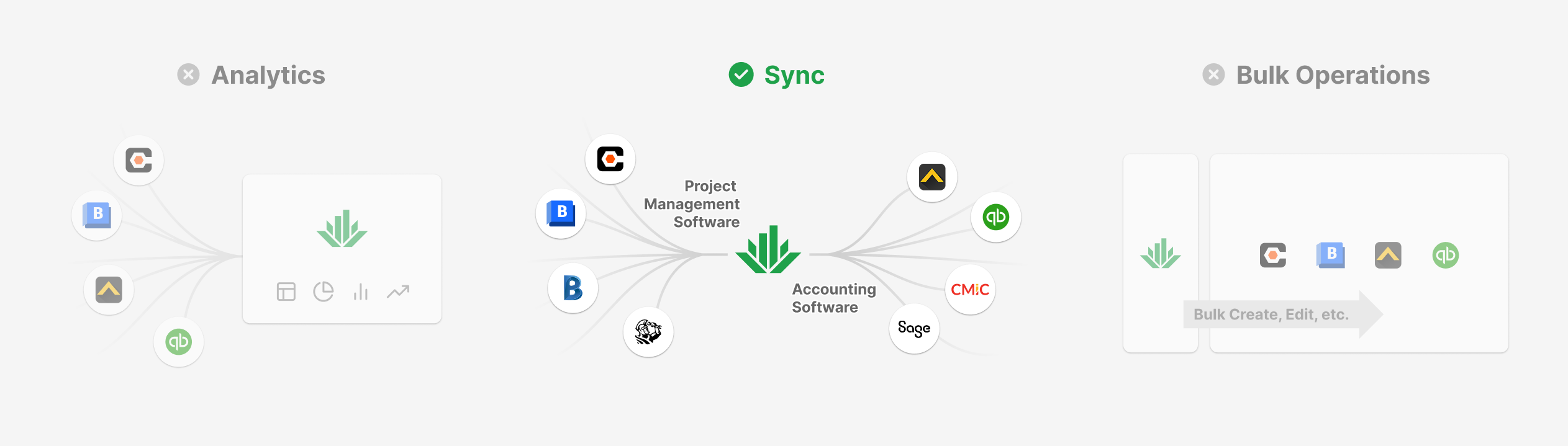
<p>Instead of betting the company on a single assumption, our first step was to lead a parallel discovery process for three distinct product concepts. The key wasn’t just to find an idea, but to find committed pilot customers for it — securing paid contracts before writing a line of code.</p>

<p>This process allowed us to test our hypotheses in the real world. One concept, <a href="https://useagave.com/sync" target="_blank">Agave Sync</a>, emerged as the one with the most urgent, unsolved user problem and the strongest, most willing early adopters.</p>

<table>
  <tbody>
    <tr>
      <td><img src="/assets/img/project-agave-sync-hypotheses.png" alt="Three Product Hypotheses Tested" /></td>
    </tr>
  </tbody>
</table>

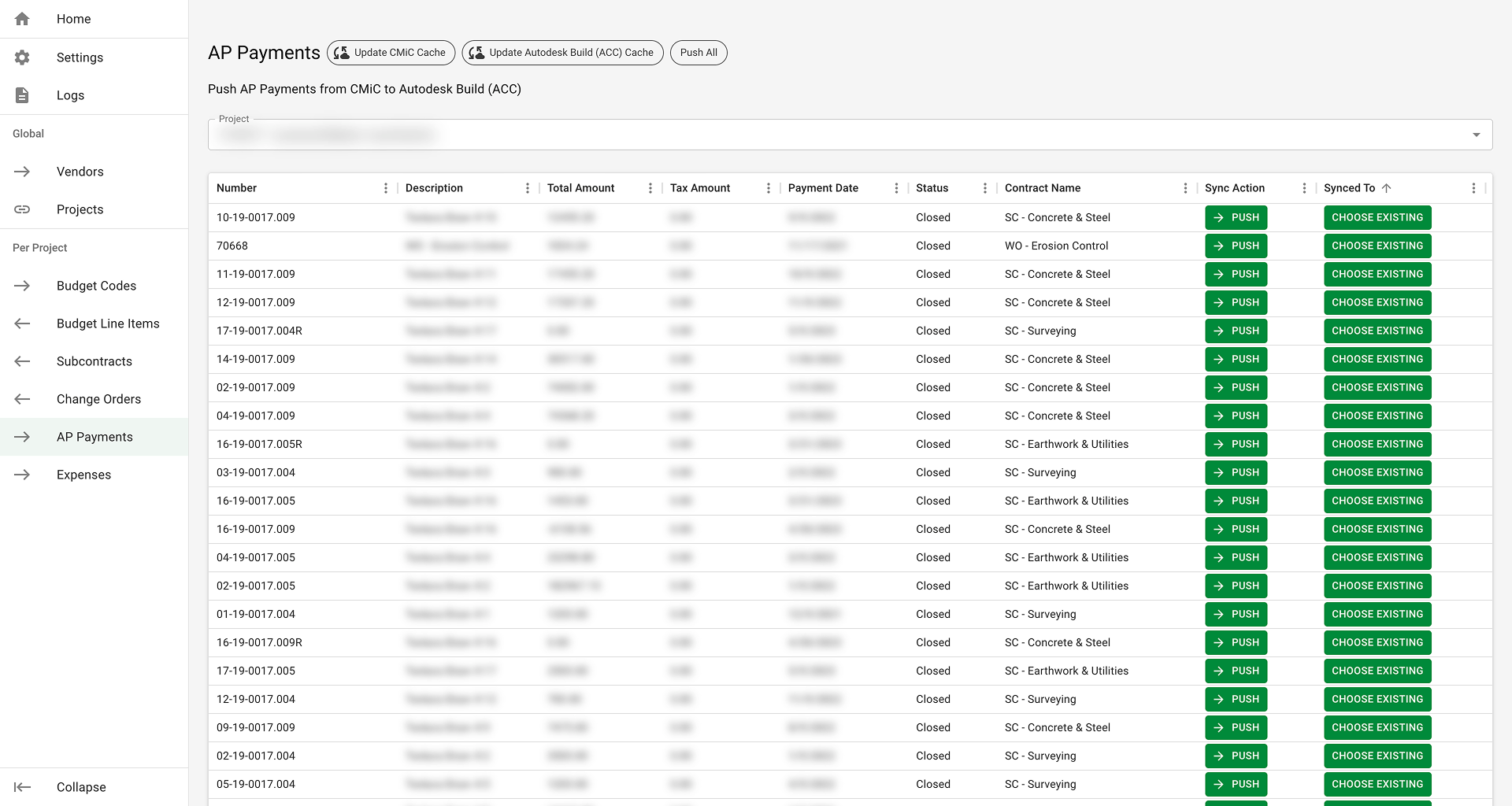
<p>Most construction companies run on two most important software systems: one for project management and another for accounting, and they have to constantly keep data in sync between them, but it’s a tedious, time-consuming manual process. There were software solutions, but customers found them hard to use.</p>

<h3 id="foundational-insight-transparency-over-magic">Foundational Insight: Transparency Over “Magic”</h3>

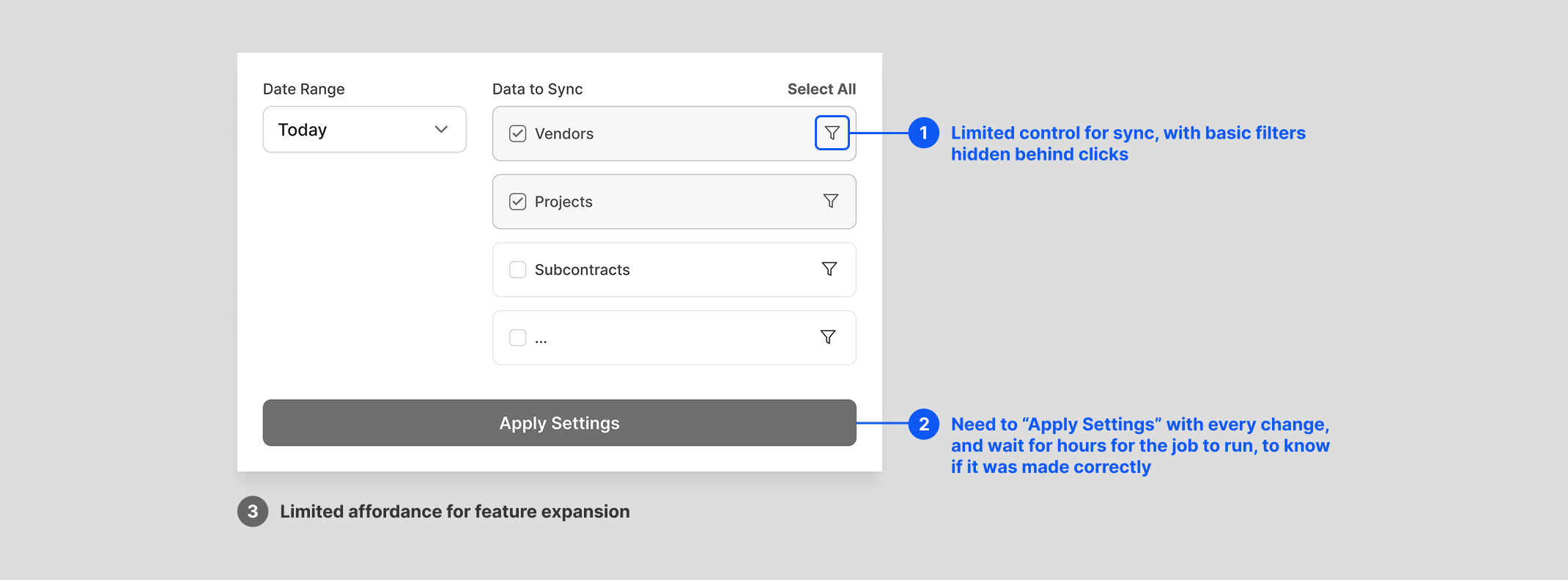
<p>Our research in the existing solutions revealed their critical flaw: they were opaque “black boxes.” Users configure the sync job, let it run, and data comes out. They lacked control and were blind to the process, leading to immense frustration when errors inevitably occurred.</p>

<p><strong>Existing solution:</strong></p>

<table>
  <tbody>
    <tr>
      <td><img src="/assets/img/project-agave-sync-existing-solution.png" alt="Three Product Hypotheses Tested" /></td>
    </tr>
  </tbody>
</table>

<p><span class="caption">Wireframe created to capture the core user experience, not a real screenshot.</span></p>

<p>This led to my foundational design insight: <span class="txt-prime">for our users, transparency was way more important than simplicity</span>.</p>

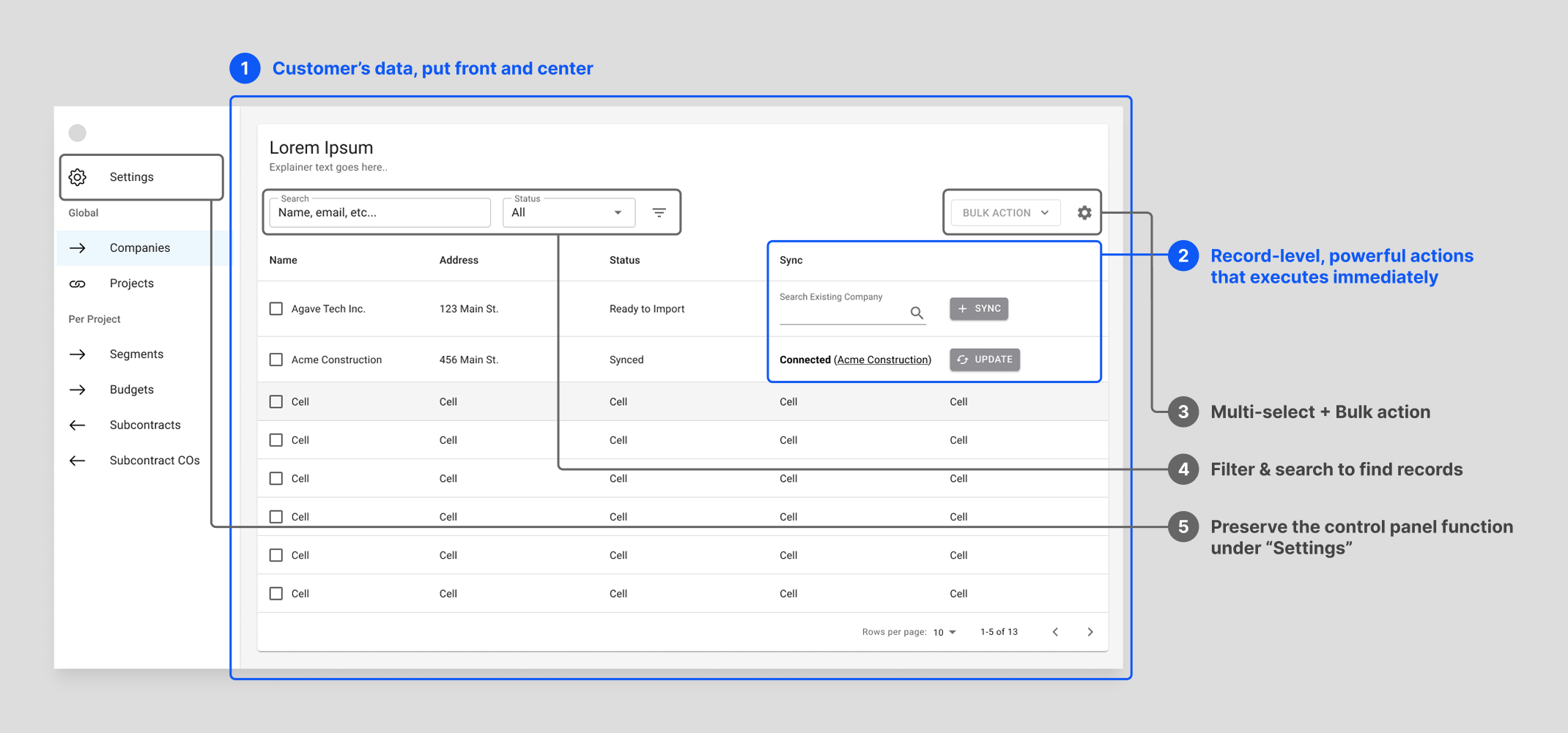
<p>I made the strategic decision to reject the then industry-standard “control panel” and architect the entire product around a familiar, data-table-centric UI. This gave our users the visibility and granular control they needed to build trust in our system. It was a bet on user empowerment over a simplified, “magical” interface.</p>

<p><strong>Agave design:</strong></p>

<table>
  <tbody>
    <tr>
      <td><img src="/assets/img/project-agave-sync-wireframe.png" alt="Wireframe for Our Design Putting Customers' Data Front and Center" /></td>
    </tr>
  </tbody>
</table>

<h3 id="process-validating-the-insight-through-deep-collaboration">Process: Validating the Insight Through Deep Collaboration</h3>

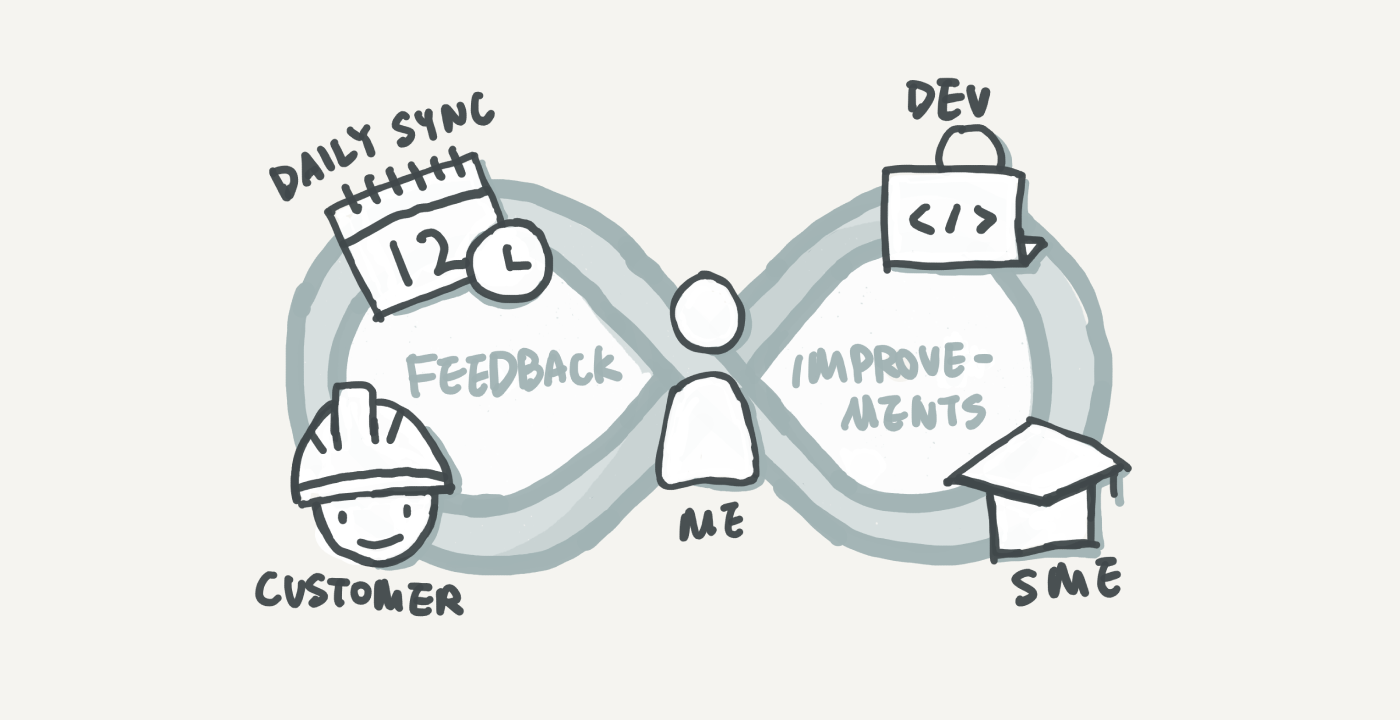
<p>To bring this vision to life and ensure it met real-world needs, I embedded myself with our first customer. This wasn’t just user research; it was a co-creation process for 8 months, including 7:30am standups each day and two on-site visits.</p>

<p>Every morning, I presented design iterations and got immediate feedback, allowing me to understand and refine every nuanced construction project finance workflow with our engineering team. We deliberately focused on workflow efficiency over aesthetic polish, and using a component library to ensure rapid iteration.</p>

<p><img src="/assets/img/project-agave-sync-iteration.png" alt="Illustration of my design and iteration process" /></p>

<h3 id="outcome-user-evangelism-and-a-scalable-foundation">Outcome: User Evangelism and a Scalable Foundation</h3>

<p><span class="txt-prime">The result was a product our first customer loved so much, they became our most powerful evangelist.</span> They showcased our product at Autodesk University, the industry’s largest conference, leading to a wave of inbound interest.</p>

<p>This authentic user praise was a direct result of the product’s design: a user-centric foundation that was built to last. The initial data-table architecture proved to be a durable and scalable system that gracefully evolved over time to meet new customer needs.</p>

<p><strong>Product design timeline:</strong></p>

<h5 id="1-the-functional-core-private-launch">1. The Functional Core (Private Launch)</h5>

<p>Focused on core functionality and usability over aesthetics, ensuring we solved the user’s most critical problems first.</p>

<table>
  <tbody>
    <tr>
      <td><img src="/assets/img/project-agave-sync-p1-main.png" alt="Private Launch UI" /></td>
    </tr>
  </tbody>
</table>

<h5 id="2-public-launch-polish">2. Public Launch Polish</h5>

<p>Updated the component library and refined the visual design to build credibility and trust as we introduced the product to a wider audience.</p>

<table>
  <tbody>
    <tr>
      <td><img src="/assets/img/project-agave-sync-p2-main.png" alt="Public Launch UI" /></td>
    </tr>
  </tbody>
</table>

<h5 id="3-solving-the-1-usability-issue-horizontal-scroll">3. Solving the #1 Usability Issue: Horizontal Scroll</h5>

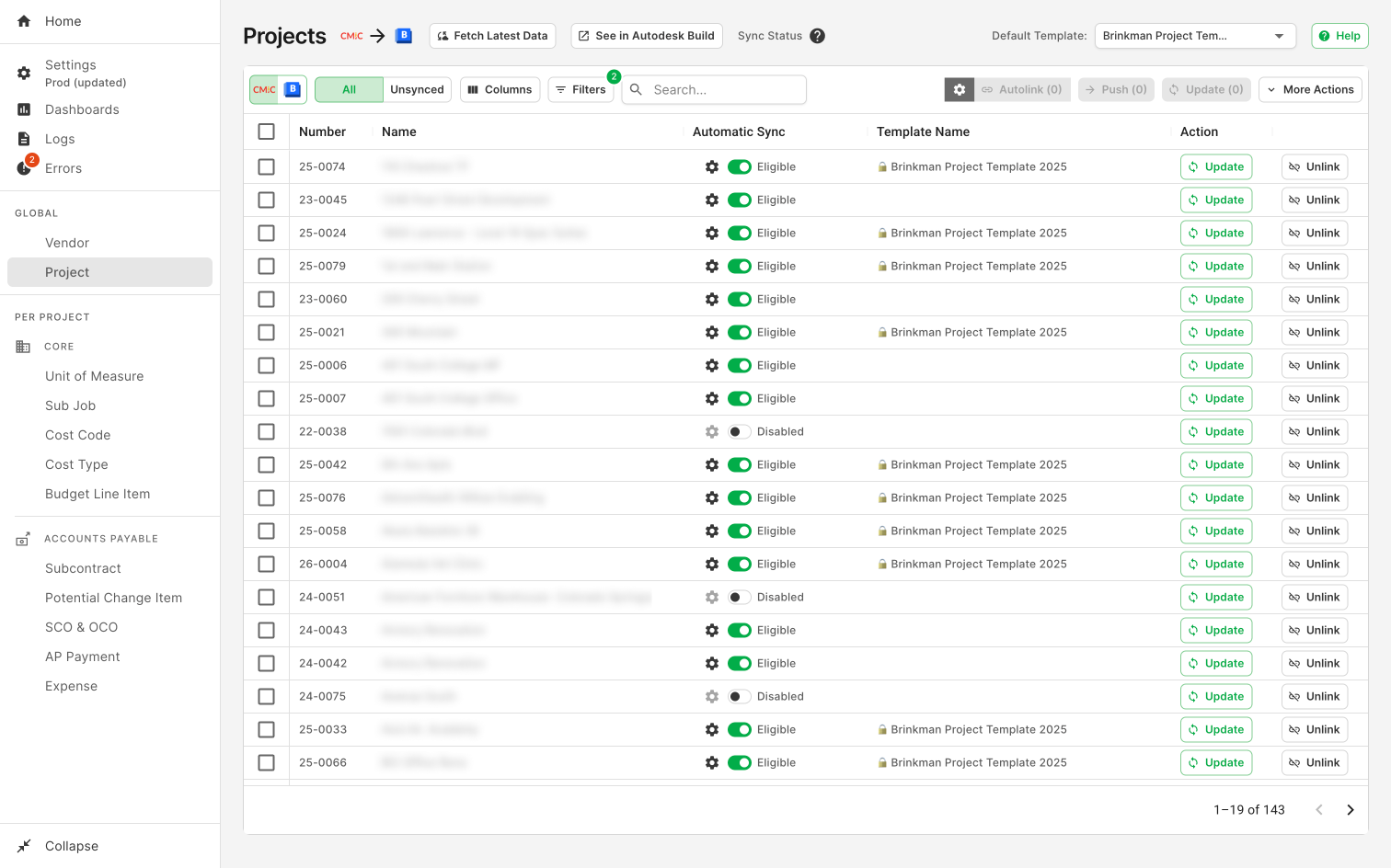
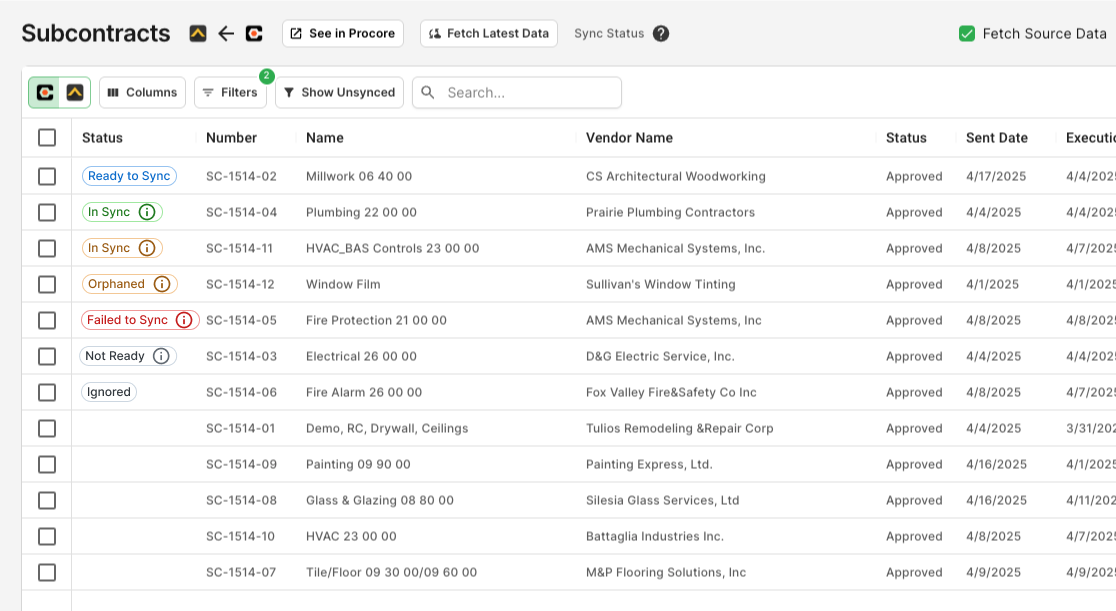
<p>Consolidated many diagnostic and status columns into a single, scannable “Status” column, reducing horizontal scrolling—a major pain point we identified for our Windows  users.</p>

<p><img src="/assets/img/project-agave-sync-p3-status-column.png" alt="Status Column" /></p>

<h5 id="4-systematic-feature-expansion">4. Systematic Feature Expansion</h5>

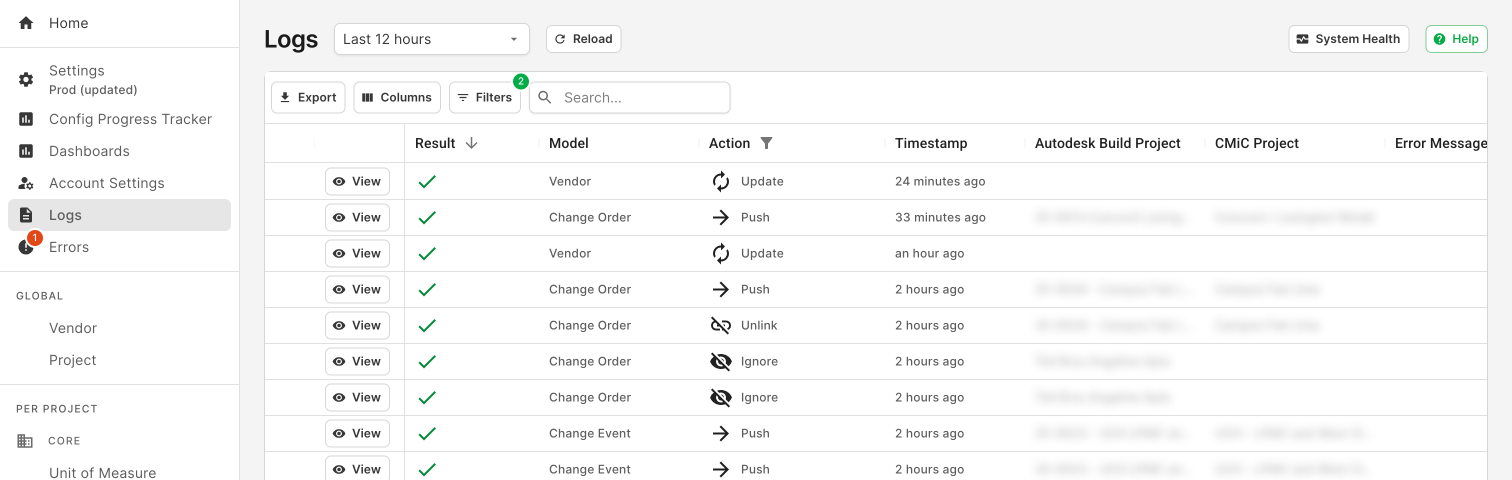
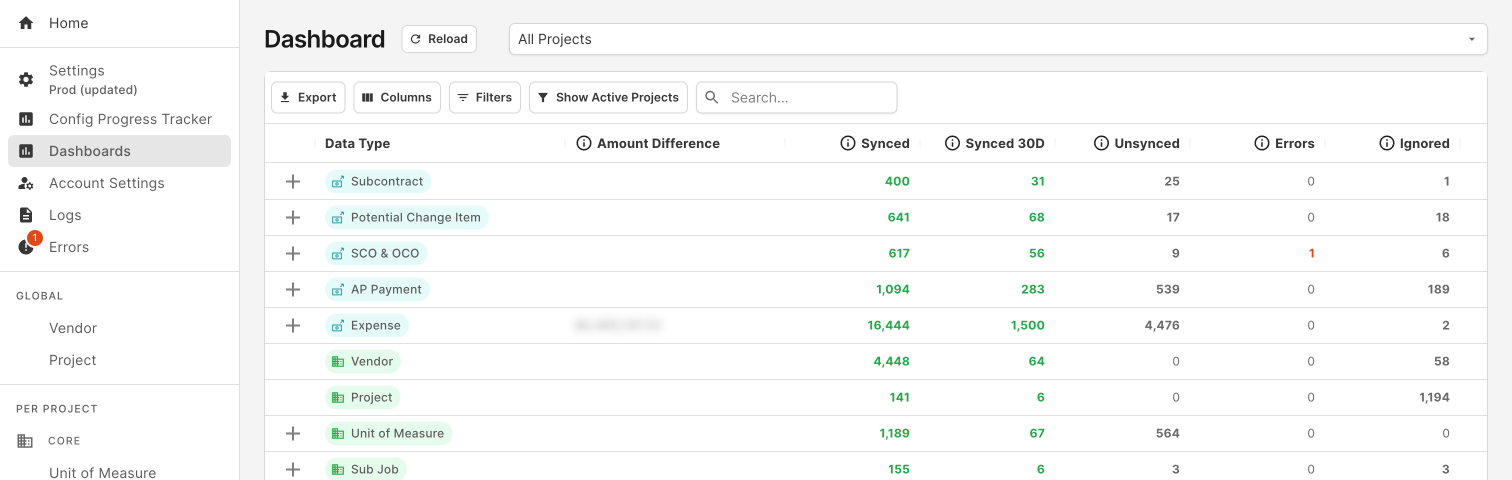
<p>The strong design foundation supported years of subsequent development—from sync history and notifications to expanded user controls—without requiring a major redesign.</p>

<table>
  <tbody>
    <tr>
      <td><img src="/assets/img/project-agave-sync-p4-logs.png" alt="Status Column" /></td>
    </tr>
  </tbody>
</table>

<table>
  <tbody>
    <tr>
      <td><img src="/assets/img/project-agave-sync-p4-dashboards.png" alt="Status Column" /></td>
    </tr>
  </tbody>
</table>

<h5 id="5-proactive-design-strengthening-trust">5. Proactive Design: Strengthening Trust</h5>

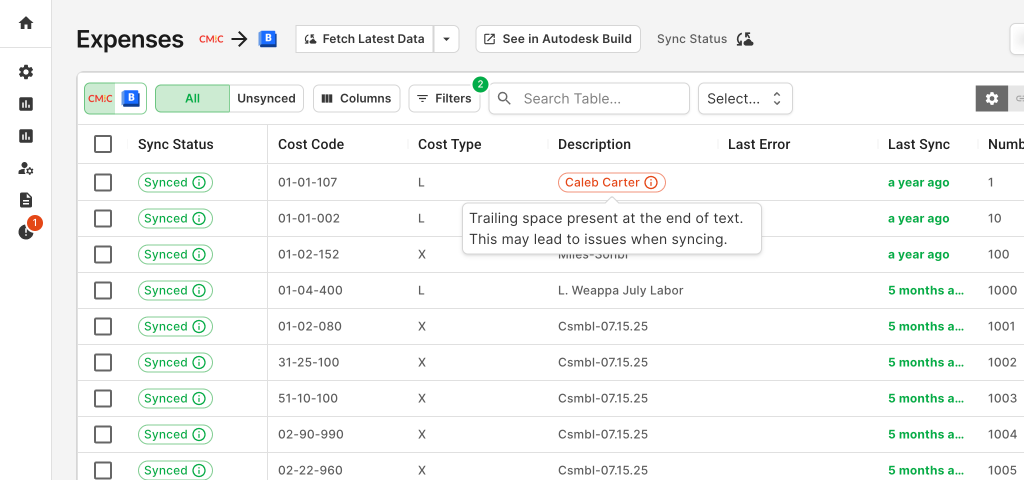
<p>The design foundation provided the necessary affordance to proactively flag data-field-level issues, a feature that further strengthened our customers’ long-term trust.</p>

<p><img src="/assets/img/project-agave-sync-p5-proactive.png" alt="Status Column" /></p>

<p>Ultimately, this approach drove adoption from 0 to <span class="txt-prime">17x growth</span> the next year, to now <span class="txt-prime">350+ customers</span>, became our primary growth engine into the market, and established a key competitive advantage rooted in user trust.</p>

<hr />]]></content><author><name>Samantha Zhang</name></author><category term="agave" /><category term="UX" /><category term="B2B SaaS" /><category term="Tool" /><category term="User Research" /><summary type="html"><![CDATA[Agave Sync]]></summary></entry><entry><title type="html">Measuring Customer Satisfaction</title><link href="https://samanthazhang.com/projects/measuring-customer-satisfaction" rel="alternate" type="text/html" title="Measuring Customer Satisfaction" /><published>2021-09-29T08:00:00+00:00</published><updated>2021-09-29T08:00:00+00:00</updated><id>https://samanthazhang.com/projects/measuring-customer-satisfaction</id><content type="html" xml:base="https://samanthazhang.com/projects/measuring-customer-satisfaction"><![CDATA[<h1 id="measuring-customer-satisfaction">Measuring Customer Satisfaction</h1>

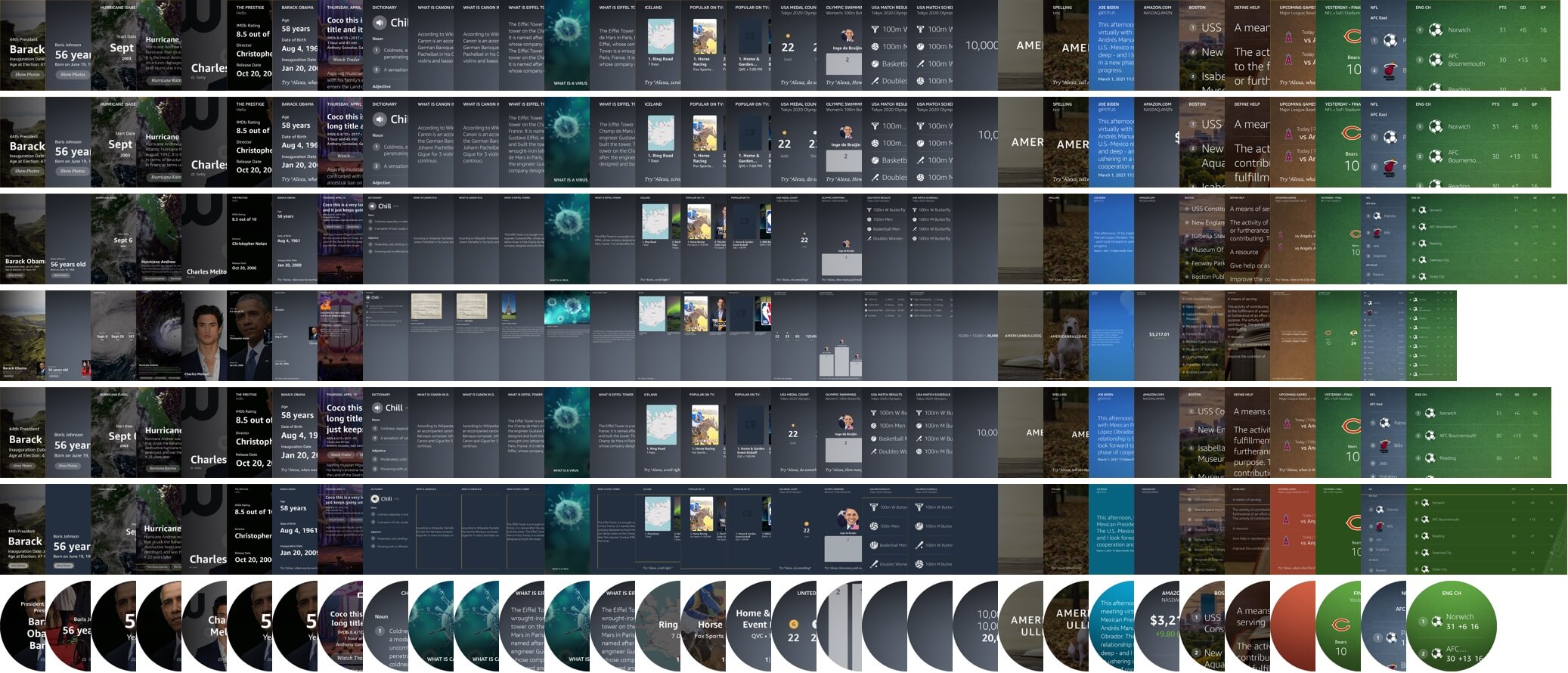
<p>It was a challenge to measure the quality of multimodal experiences that we deliver on Alexa devices. Not every user are staring at the screen when they ask a question on a screen device. The device could be sitting in the corner across the room. Until the recent launch of <a href="https://www.cnet.com/home/on-echo-show-15-alexa-will-recognize-your-face-thanks-to-amazon-visual-id/" target="_blank">Visual ID</a>, we have little data there. Also, many visual responses don’t provide touch interactions, so we can’t infer what customers want from their “click through rate”.</p>

<h3 id="human-annotation">Human Annotation</h3>

<p>The first solution the team tried to adopt is human annotation. We write a comprehensive guidelines to outline what a good multimodal experience should be, and then we train annotators to grade experiences according to the rubrics. We do it for voice answers, and it has been working for Alexa Knowledge.</p>

<p>There is only one issue: We don’t really know what a good multimodal experience should be.</p>

<p>Voice answer has way fewer variables — if an answer is grammatically and factually correct, has the right length and the right order, and contains all the necessary metadata, it’s pretty much there.</p>

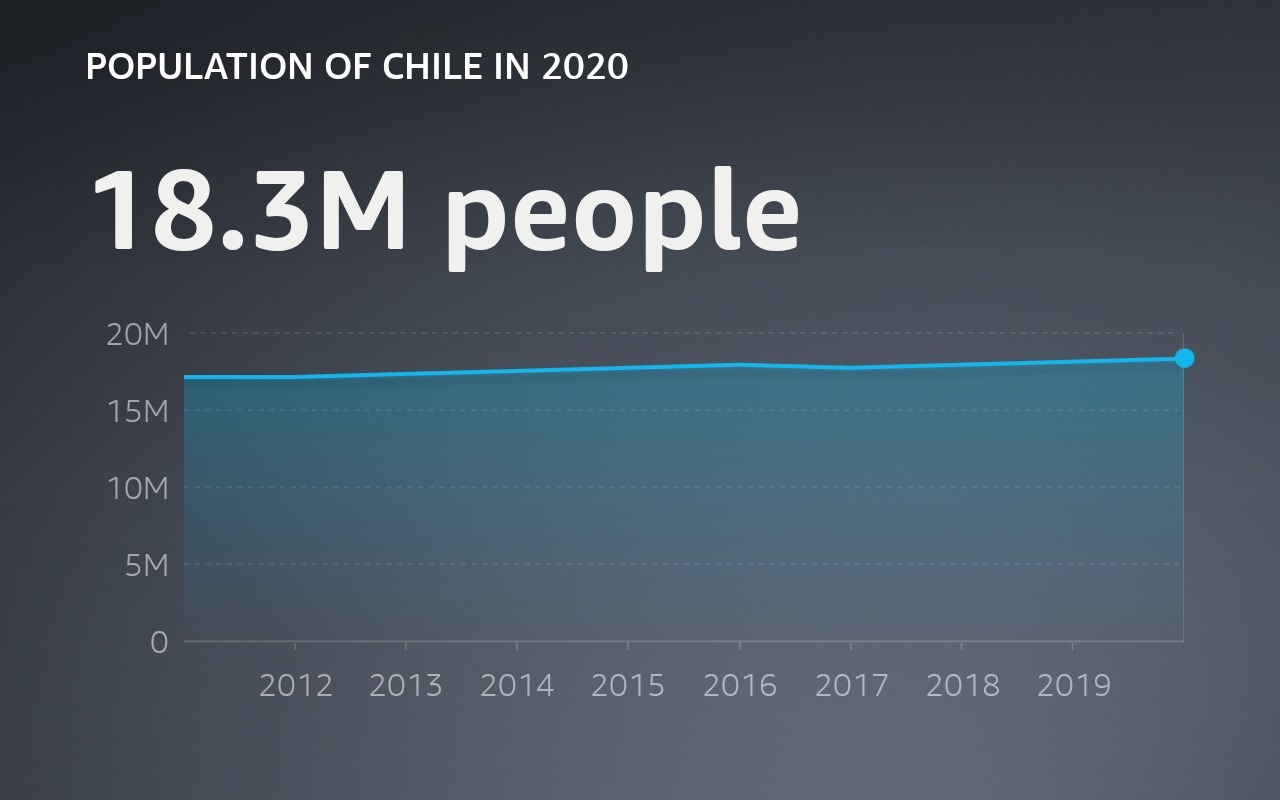
<p>Visual answer doesn’t have such consensus — when people ask “How many people live in Chile?” is it more helpful to show a line graph of the population growth, or is it more helpful to show other relevant attributes for Chile, with a beautiful image? Or both?</p>

<table>
  <tbody>
    <tr>
      <td><img src="/assets/img/project-csat-chile-line.jpeg" alt="Chile Population in Line Chart" /></td>
      <td> </td>
      <td><img src="/assets/img/project-csat-chile-img.jpeg" alt="Chile Population with Imagery" /></td>
    </tr>
  </tbody>
</table>

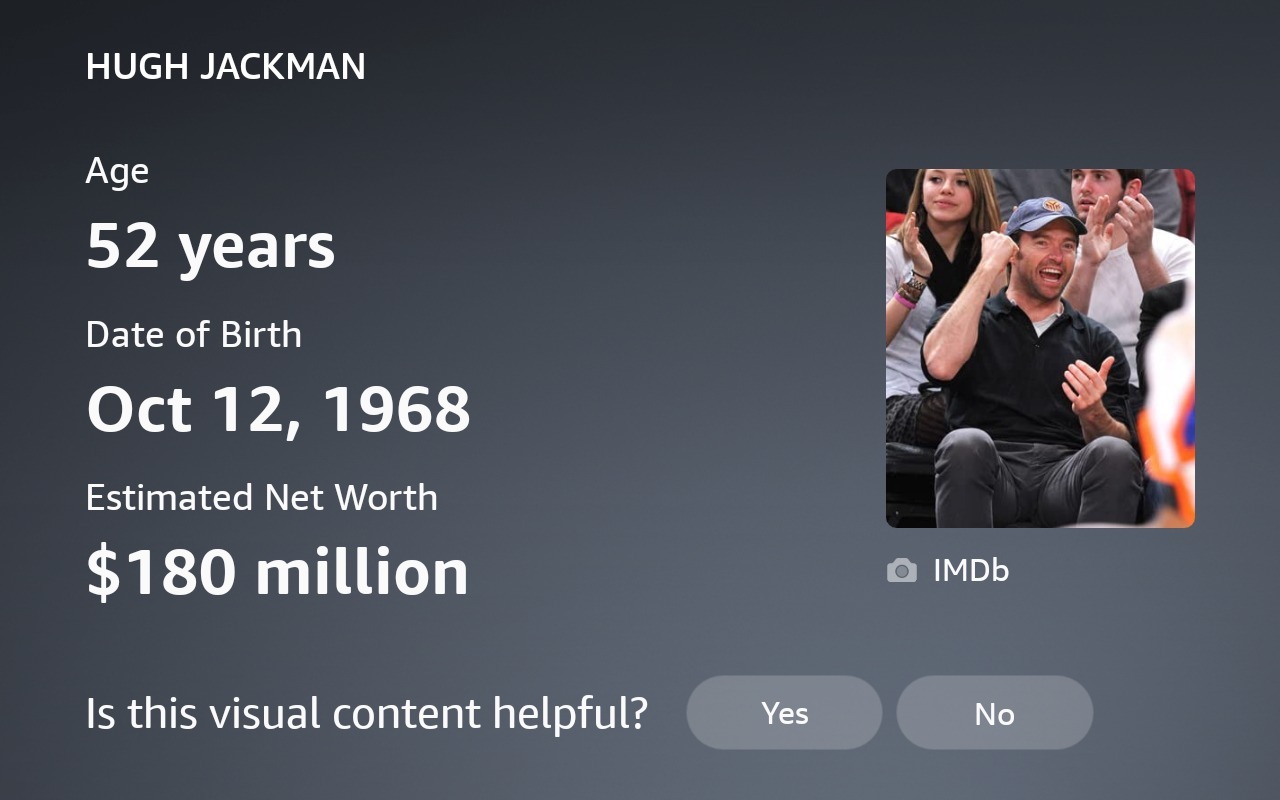
<p>Similarly, when people ask “Who is Hugh Jackman?” do they want to just see a beautiful fullscreen image, or do they also value seeing the answer text on the screen?</p>

<table>
	<tr>
		<td>
			<img src="/assets/img/project-csat-hugh-title.jpeg" alt="Who is Hugh Jackman without answer text" />
		</td>
		<td>&nbsp;</td>
		<td>
			<video width="100%" controls="" src="/assets/video/alexa-hugh.mp4" poster="/assets/video/csat-hugh-cover.jpeg" />
		</td>
	</tr>
</table>

<p>There is no clear answer. Because of that, getting into human annotation guidelines prematurely would only re-enforce our own convictions and biases. It might not help us to actually improve the quality of experiences for our customers.</p>

<h3 id="user-survey">User Survey</h3>

<p>To help connect the team with the customers and derive multimodal guidelines from user feedback, I worked with UX researchers to design a study where we record hundreds of experiences as-is and send them to thousands of voice assistant users for their rating and reasoning behind.</p>

<table>
	<tr>
		<td width="50%">
			<p>Who won between Tennessee and Alabama?</p>
			<video width="100%" controls="" src="/assets/video/csat-sports.mp4" poster="/assets/video/csat-sports-cover.jpeg" />
		</td>
		<td>&nbsp;</td>
		<td width="50%">
			<p>Can dogs eat blackberries?</p>
			<video width="100%" controls="" src="/assets/video/csat-dog.mp4" poster="/assets/video/csat-dog-cover.jpeg" />
		</td>
	</tr>
</table>

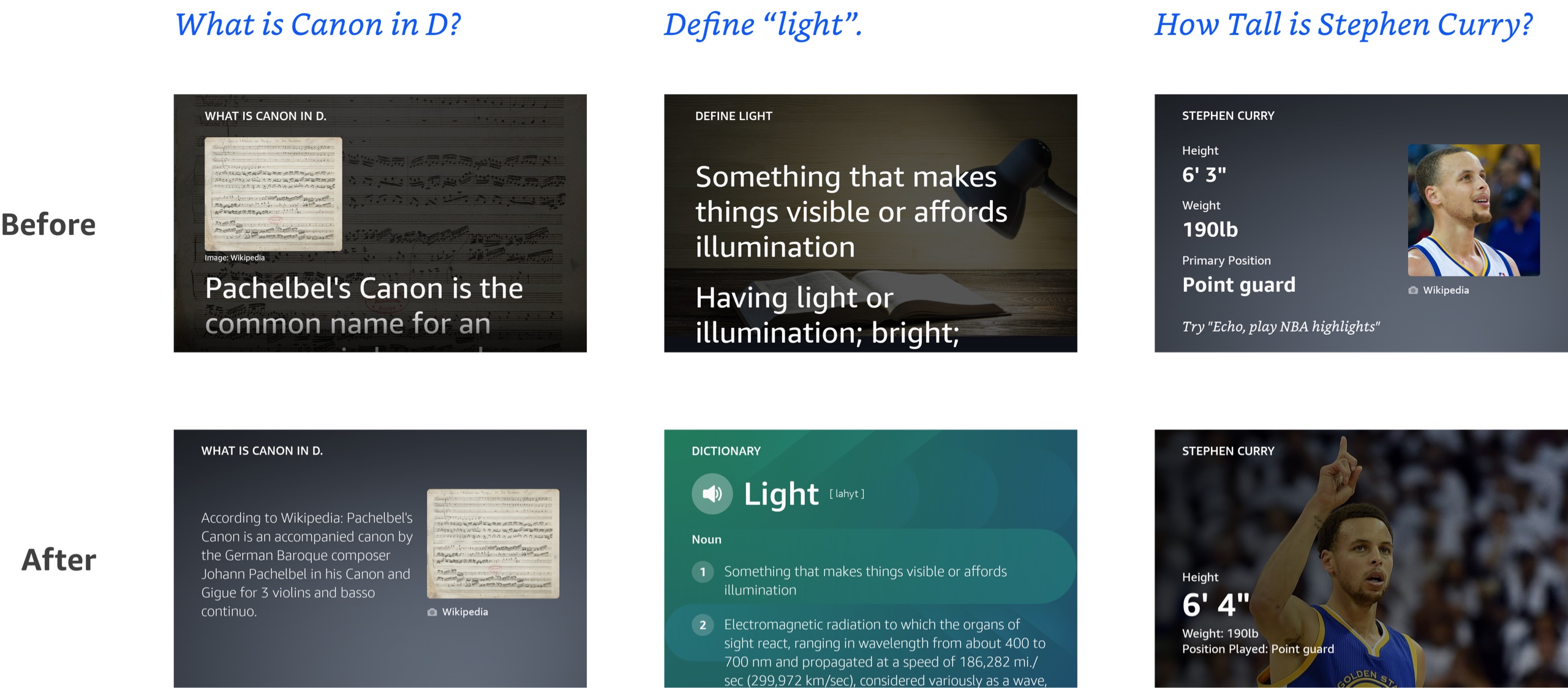
<p>From there, we then aggregate the scores and use regression model to find which features of the multimodal answer — does it contain an image, does it use a custom layout, etc. contributes the most to customers’ rating. We also use it to identify the flaws in experience designs and make data driven improvements.</p>

<p><br /></p>

<table>
  <tbody>
    <tr>
      <td><img src="/assets/img/project-csat-ba.jpg" alt="Before &amp; After" /></td>
    </tr>
  </tbody>
</table>

<p><br /></p>

<p>We launched the study in the United States, Germany, and Japan. Every time, it lead us to new insights and allow us to continue to dive deeper. Based on those findings, we then wrote the design guidelines for Alexa Knowledge experiences.</p>

<h3 id="visual-component-for-feedback">Visual Component for Feedback</h3>

<p>While user survey gave us a lot of good information and it’s especially good at answering why certain experience has a higher rating than others, it’s quite resource consuming to capture experiences and run the study.</p>

<p>To collect user feedback faster and on a broader scale, we also launched a new visual component that would allow us to target a small percentage of users across the board and get realtime data right before I leave Amazon.</p>

<p><img src="/assets/img/project-csat-guife.jpeg" alt="Visual component" /></p>

<p>Hopefully it would provide more timely feedback to the team and help us correlate visual quality to other business metrics like engagement and downstream impact.</p>

<hr />]]></content><author><name>Samantha Zhang</name></author><category term="alexa" /><category term="UX" /><category term="Measurement" /><summary type="html"><![CDATA[Measuring Customer Satisfaction]]></summary></entry><entry><title type="html">Visual Answer for Voice Assistant</title><link href="https://samanthazhang.com/projects/visual-answer-for-voice-assistant" rel="alternate" type="text/html" title="Visual Answer for Voice Assistant" /><published>2021-09-29T08:00:00+00:00</published><updated>2021-09-29T08:00:00+00:00</updated><id>https://samanthazhang.com/projects/visual-answer-for-voice-assistant</id><content type="html" xml:base="https://samanthazhang.com/projects/visual-answer-for-voice-assistant"><![CDATA[<h1 id="visual-answer-for-voice-assistant">Visual Answer for Voice Assistant</h1>

<table>
  <tbody>
    <tr>
      <td><img src="/assets/img/project-alexa-hero.jpg" alt="Examples of Alexa Visualizations" /></td>
    </tr>
  </tbody>
</table>

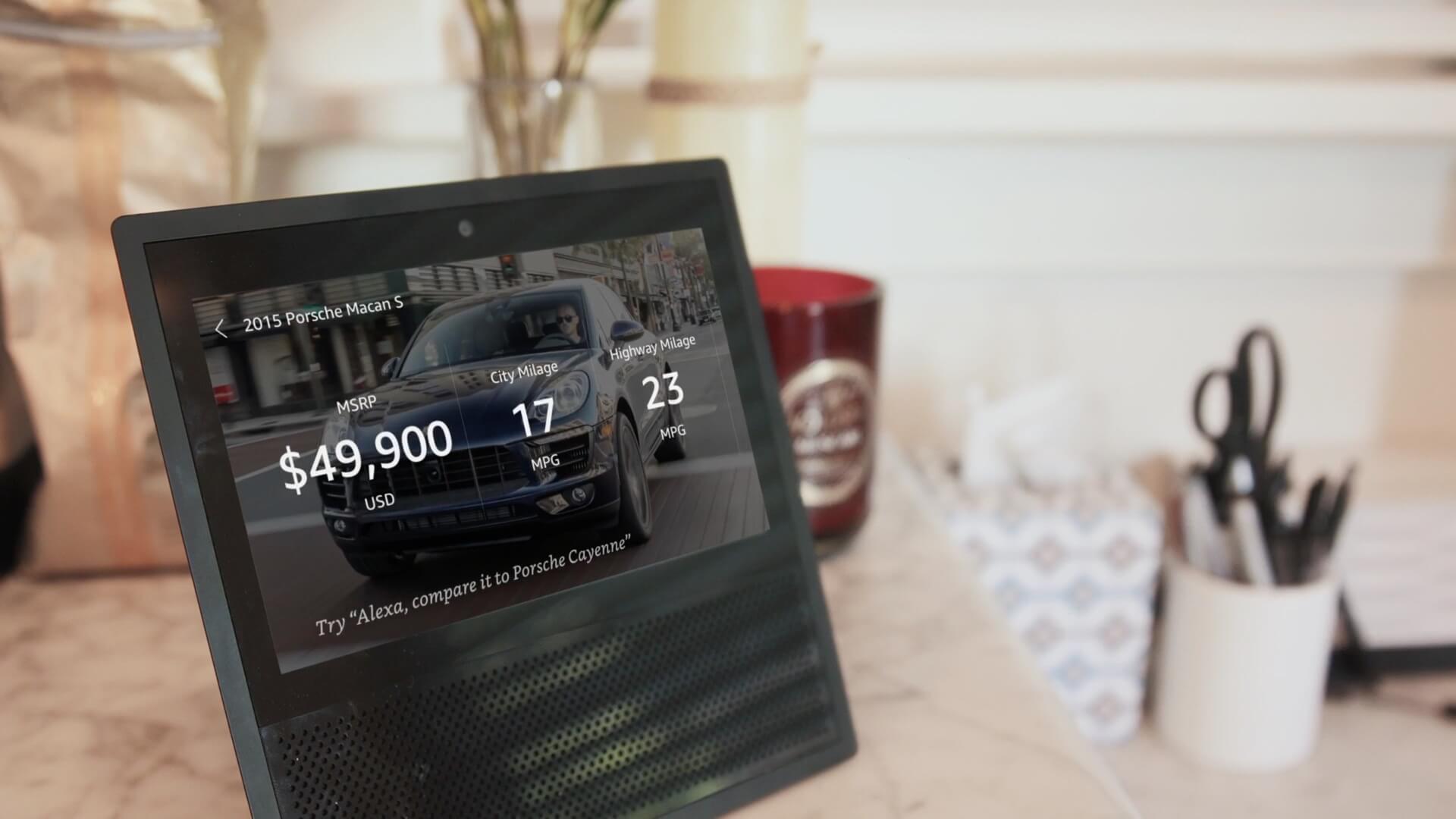
<p>When Graphiq got acquired by Amazon in May 2017 to help Alexa answer more factual questions, it was right before Amazon launched its first Alexa device with a screen — the original Echo Show device. In addition to the knowledge graph and search technology, the Alexa team was excited about our <a href="/projects/graphq-visualizations">visualization capability</a> as well. I had a clear task — bring data visualizations to Alexa and deliver information in the most delightful way for our customers.</p>

<h3 id="sharing-the-vision">Sharing the Vision</h3>

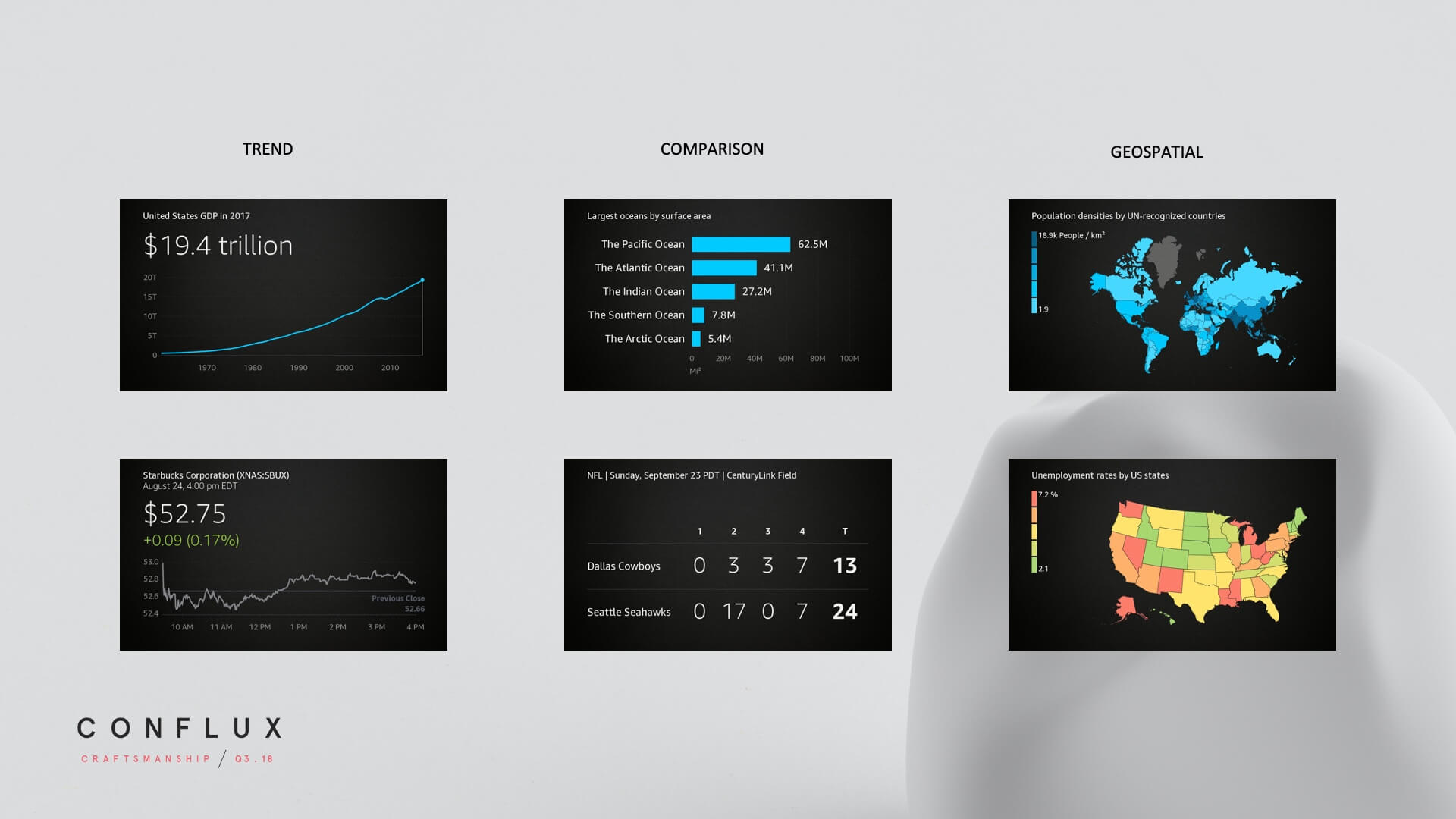
<p>Alexa was introduced as a voice assistant, and many had not envisioned it having screens back then. That said, visual display is not only delightful but crucial to communicate <strong><em>trend</em></strong>, <strong><em>comparison</em></strong>, and <strong><em>geographic</em></strong> data.</p>

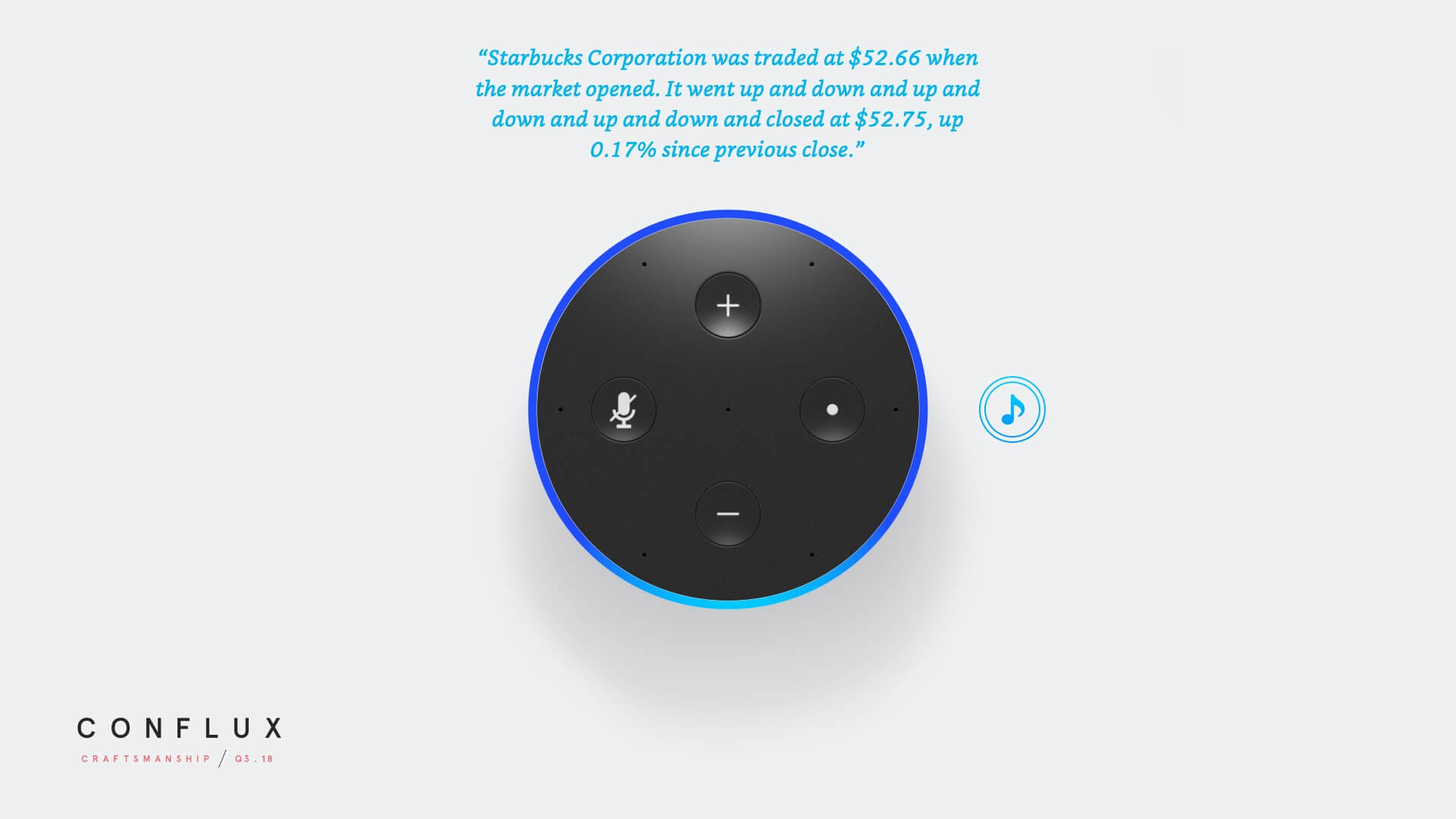
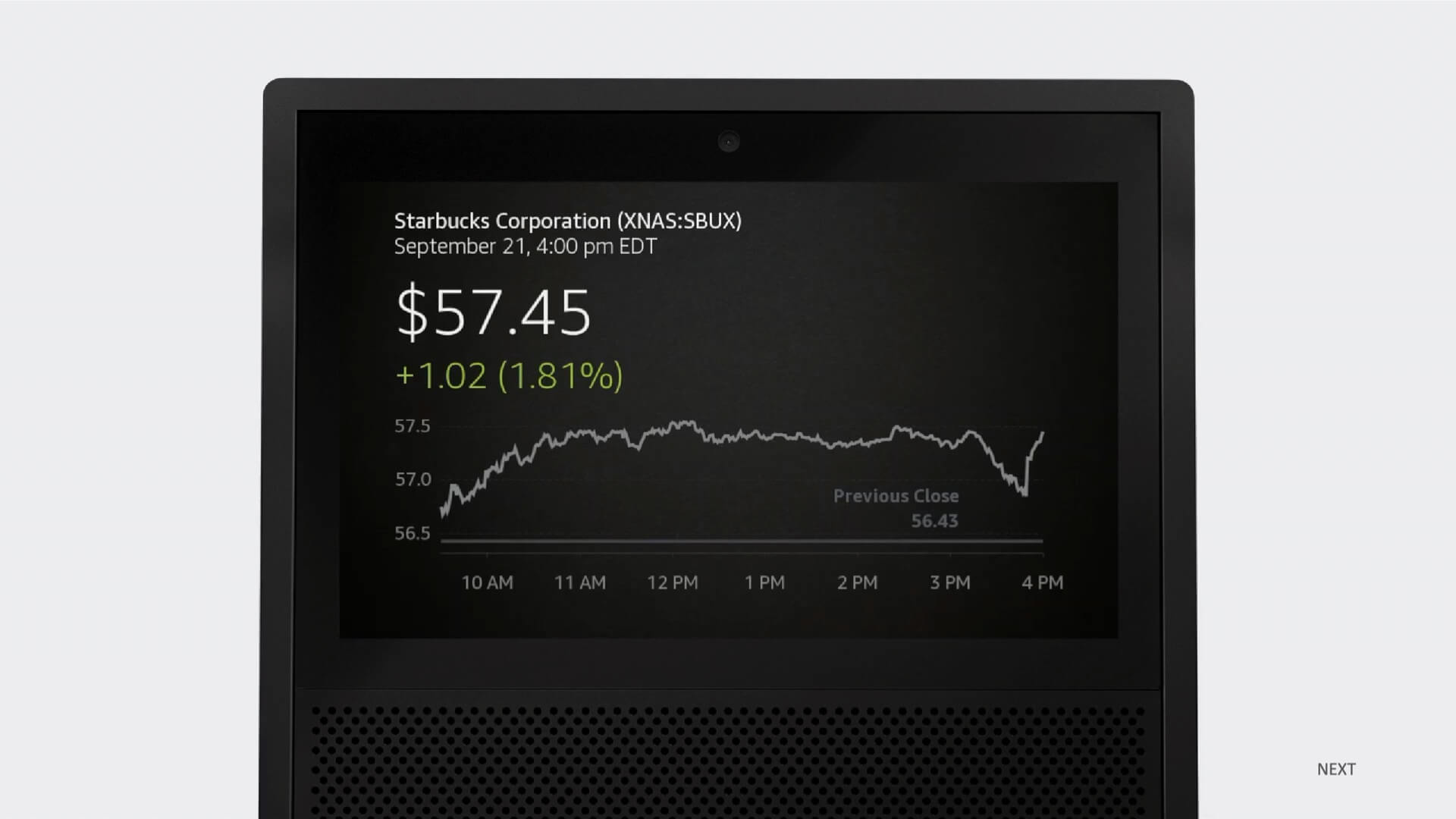
<p>For exmaple, for the question <em>“Alexa, What’s the stock price of Starbucks?”</em> it is difficult to convey the fluctuation in the market with voice, but with visual, the trend is clear.</p>

<table>
  <tbody>
    <tr>
      <td><img src="/assets/img/project-alexa-stock-voice.jpg" alt="Stock trend delivered only with voice" /></td>
      <td> </td>
      <td><img src="/assets/img/project-alexa-stock-visual.jpg" alt="Stock trend visual" /></td>
    </tr>
  </tbody>
</table>

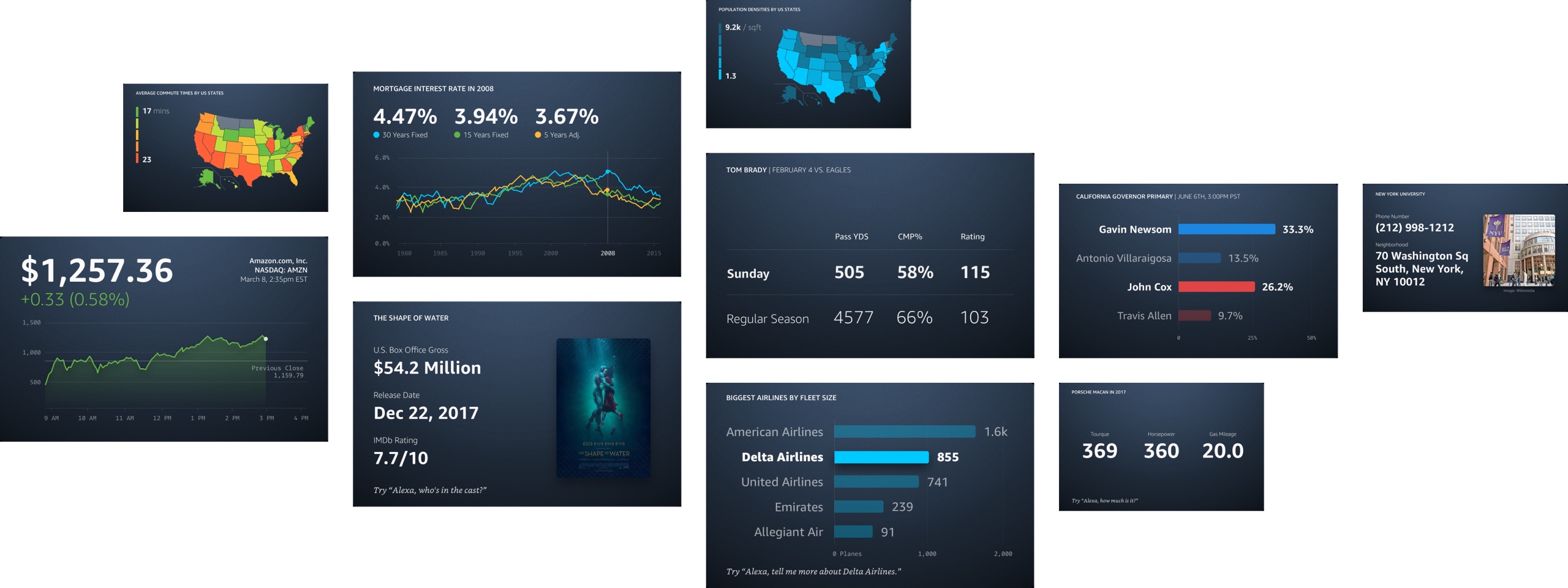
<p>To help the team understand the potential of visualization and imagine the future together, we put together a commercial-like demo video to show how we can drastically improve many Alexa experiences — from help making purchase decisions to getting sports and stock market updates. It got shared to the top of the leadership in the company, and many of the future we envisioned, has become a reality today.</p>

<p>Further, I did a presentation at Amazon’s annual design conference to walk through the key cases for visual answers, the design challenges, and our solutions.</p>

<table>
  <tbody>
    <tr>
      <td><img src="/assets/img/project-alexa-commercial.jpg" alt="Stock trend delivered only with voice" /></td>
      <td> </td>
      <td><img src="/assets/img/project-alexa-conflux.jpg" alt="Stock trend visual" /></td>
      <td> </td>
      <td><img src="/assets/img/project-alexa-use-cases.jpg" alt="Stock trend visual" /></td>
    </tr>
  </tbody>
</table>

<h3 id="crafting-and-co-defining-alexa-design-system">Crafting and Co-defining Alexa Design System</h3>

<p>We joined at an exciting time when the first barebone version of Alexa’s visual style just got shipped and the team is actively imagining what the second generation can look like.</p>

<p>We brainstormed with the central design team at Alexa to co-define a new design language that can afford all the data presentation need we can foresee.</p>

<table>
  <tbody>
    <tr>
      <td><img src="/assets/img/project-alexa-onedesign.jpg" alt="Style exploration" /></td>
    </tr>
  </tbody>
</table>

<p>After multiple rounds for exploration and consolidation, we landed on what became the next generation of Alexa Design System, and laid out the ground work for the core visual answer template, including animations and touch interactions.</p>

<table>
	<tr>
		<td>
			<video width="100%" controls="" src="/assets/video/alexa-stock.mp4" poster="/assets/video/alexa-stock-cover.jpg" />
		</td>
		<td>&nbsp;</td>
		<td>
			<video width="100%" controls="" src="/assets/video/alexa-line.mp4" poster="/assets/video/alexa-line-cover.jpg" />
		</td>
		<td>&nbsp;</td>
		<td>
			<video width="100%" controls="" src="/assets/video/alexa-bar.mp4" poster="/assets/video/alexa-bar-cover.jpg" />
		</td>
	</tr>
</table>

<h3 id="continuous-development">Continuous Development</h3>

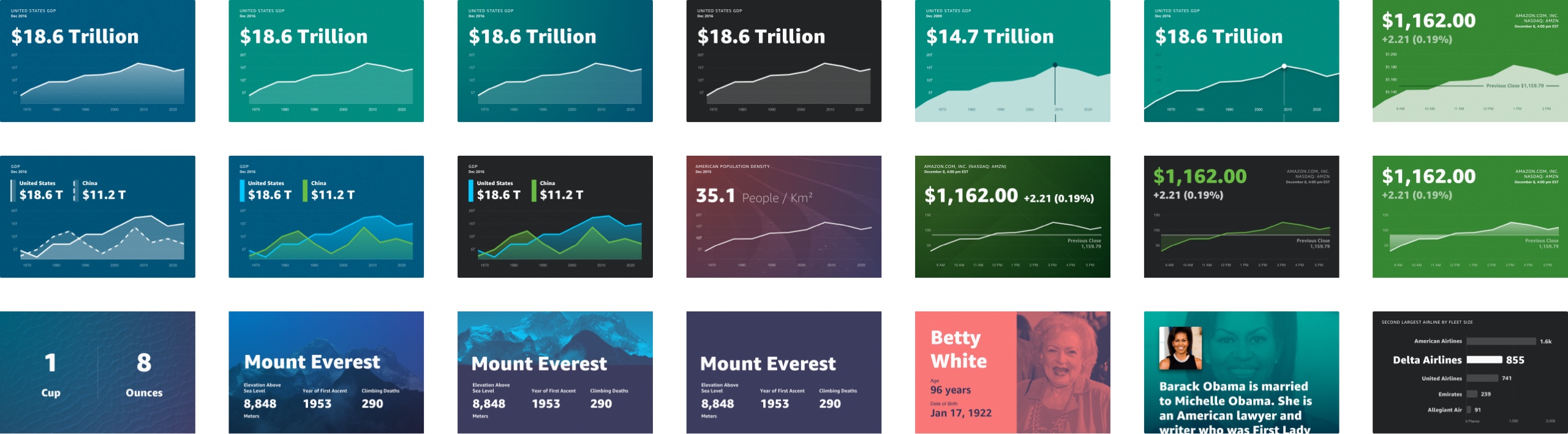
<p>We kept developing and improving the multimodal experiences over the years in visual style, range of visualizations offered, and the design of each template by <a href="/projects/measuring-customer-satisfaction">listening into the customers</a>. Here are some notable addition we made afterwards.</p>

<p><img src="/assets/img/project-alexa-new.jpg" alt="New experiences" /></p>

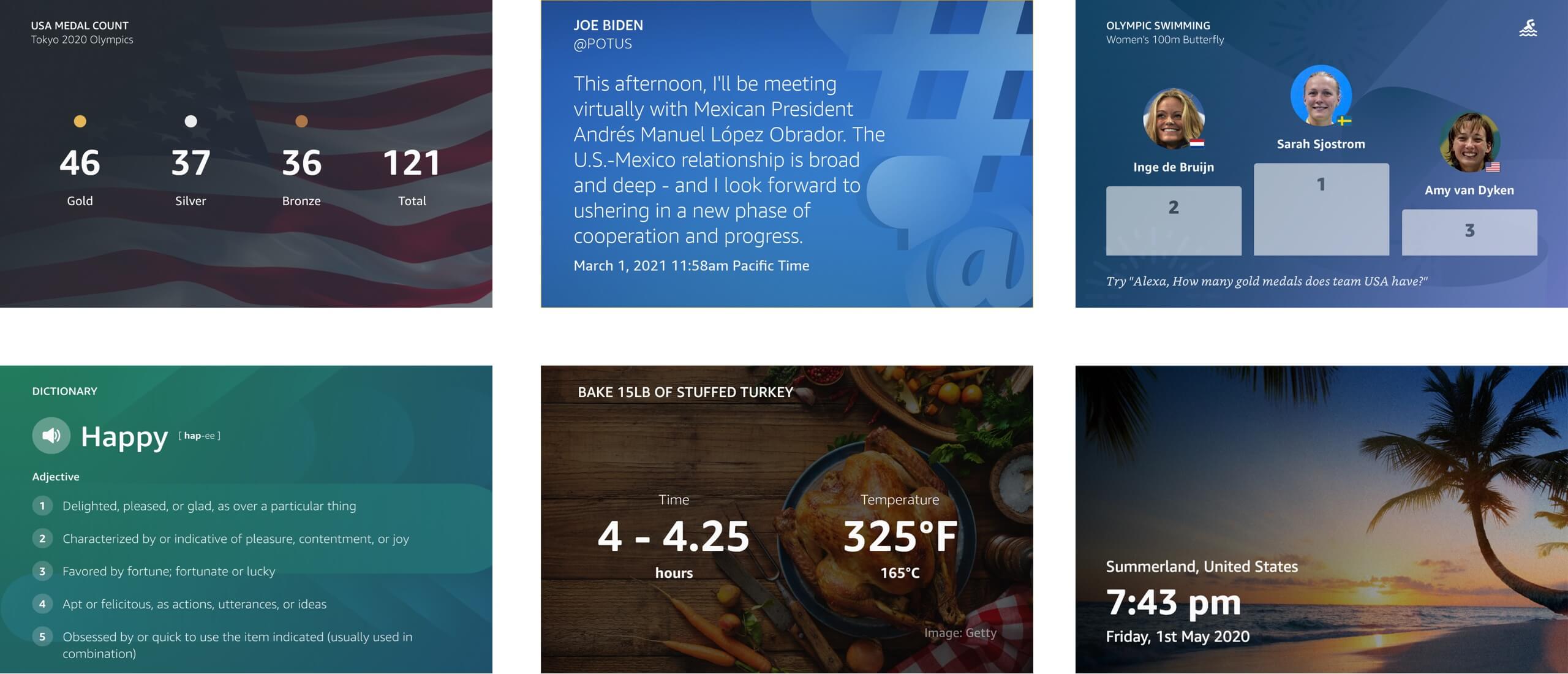
<p>Lastly, a bird’s eye view of the landscape of use cases we now cover — templates x devices.</p>

<p><img src="/assets/img/project-alexa-all.jpg" alt="All rendering" /></p>

<hr />]]></content><author><name>Samantha Zhang</name></author><category term="alexa" /><category term="UX" /><category term="Multimodal" /><summary type="html"><![CDATA[Visual Answer for Voice Assistant]]></summary></entry><entry><title type="html">Brutally Useful Making Great Products With No Design Skills</title><link href="https://samanthazhang.com/writing/brutally-useful-making-great-products-with-no-design-skills" rel="alternate" type="text/html" title="Brutally Useful Making Great Products With No Design Skills" /><published>2021-06-17T00:00:00+00:00</published><updated>2021-06-17T00:00:00+00:00</updated><id>https://samanthazhang.com/writing/brutally-useful-making-great-products-with-no-design-skills</id><content type="html" xml:base="https://samanthazhang.com/writing/brutally-useful-making-great-products-with-no-design-skills"><![CDATA[<p><span class="caption">Special thanks to <a href="https://twitter.com/Tom__Reno" target="_blank">Tom Reno</a> and <a href="https://twitter.com/ibercovich" target="_blank">Ivan Bercovich</a> for being my lab rats and helping me with this article.</span></p>

<h1 id="brutally-useful-making-great-products-with-no-designskills">Brutally Useful: Making Great Products with No Design Skills</h1>

<blockquote>
  <p>Designers: If a startup friend asks for design help but you have no bandwidth, share this.</p>
</blockquote>

<p>Being a designer for 7+ years, I’m drawn to appealing visuals. I blindly vote for ProductHunt projects with beautiful landing pages. I spend hours saving Dribbble shots that have little practical value.</p>

<p>But, if you ask me if making lovable products with no visual design skills is possible, I’ll reluctantly concede. As much as I’d love to say good visual design is <em>essential</em>, it’s not.</p>

<p>Take these two tweets:</p>

<blockquote class="twitter-tweet"><p lang="en" dir="ltr">Zoom is worth 48 billion and these are its icons. <a href="https://t.co/SdJdahcFfG">pic.twitter.com/SdJdahcFfG</a></p>&mdash; Seth Coelen (@SethCoolen) <a href="https://twitter.com/SethCoolen/status/1299366555969617923?ref_src=twsrc%5Etfw">August 28, 2020</a></blockquote>
<script async="" src="https://platform.twitter.com/widgets.js" charset="utf-8"></script>

<blockquote class="twitter-tweet"><p lang="en" dir="ltr">CraigsList and Hacker News are incredibly ugly, even though they’re two of the best websites in the world.<br /><br />There’s a lesson in there. <a href="https://t.co/3p9d6J5wH9">pic.twitter.com/3p9d6J5wH9</a></p>&mdash; David Perell (@david_perell) <a href="https://twitter.com/david_perell/status/1275681109532180481?ref_src=twsrc%5Etfw">June 24, 2020</a></blockquote>
<script async="" src="https://platform.twitter.com/widgets.js" charset="utf-8"></script>

<p>And the lesson is you don’t need good <em>visual</em> design skills to create a useful product. You can have a great product by just being <em>brutally useful</em>.</p>

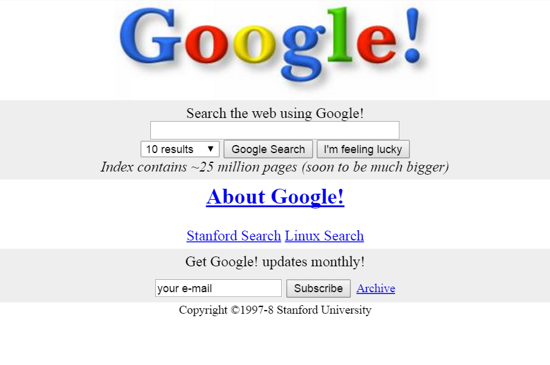
<p>In addition to Zoom, CraigsList, and Hacker News, recall Google’s early days…</p>

<p><img src="/assets/img/2021-06-17-google.jpeg" alt="Google 1998" /><br /><span class="caption">Google, first official home page (September 1998)</span></p>

<p>It’s just brutally useful. It does one thing well.</p>

<p>Brutal usefulness cuts through noise. Costco’s bare-bone decor has nothing to do with visual appeal. Costco cares most about ensuring customers know where things are and how much they cost. Anything else is extraneous - it just adds cost to their intentionally low prices.</p>

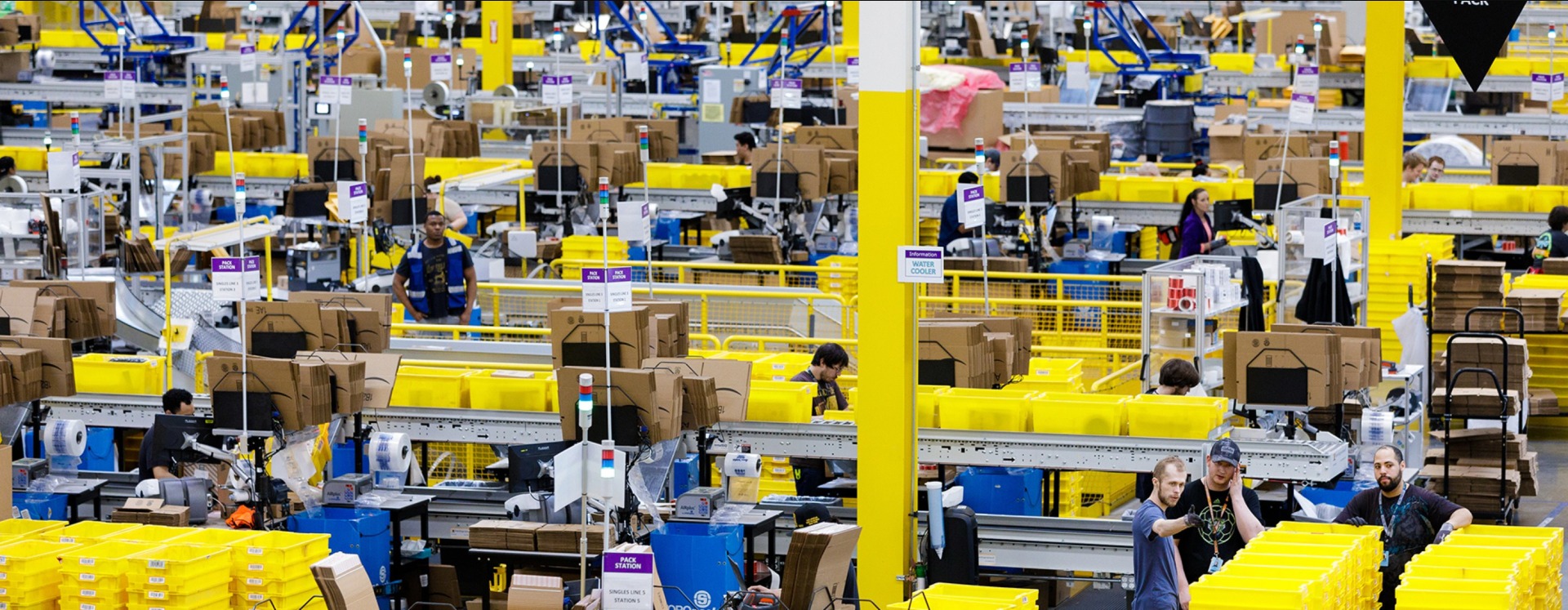
<p>Amazon Fulfillment centers are similar. At first, they seem like pure chaos and clutter. Painfully bright lights, flashing sirens, whirring conveyor belts, and absurd, 100-foot ceiling fans. But after thirty seconds, you realize every one of these eyesores serves a purpose: routing products from sellers to buyers with ruthless efficiency (<a href="https://classic.qz.com/perfect-company-2/1172282/this-company-built-one-of-the-worlds-most-efficient-warehouses-by-embracing-chaos/" target="_blank">more on that</a>). Not beautiful, but <em>brutally useful</em>.</p>

<p><img src="/assets/img/2021-06-17-fc.jpeg" alt="Amazon Fulfillment Center" /></p>

<p>So what does this mean for your own products? 4 suggestions when you don’t have a designer.</p>

<h3 id="1-talk-to-customers">1. Talk to Customers</h3>

<p>What’s better than any one designer is direct feedback from the customers. Not feedback on whether they think the design is “good”, but if they instantly <em>get</em> what the product does and how it works. Ask them if they’re willing to pay for it. Ask how you can make it even more valuable. Listen carefully, and ask thoughtful follow-ups.</p>

<p>It’s that simple. And you don’t need many. Test with <a href="https://www.nngroup.com/articles/why-you-only-need-to-test-with-5-users/" target="_blank">5 users</a> and iterate.</p>

<p>Customer feedback not only helps identify product enhancements, but more importantly nurtures your user experience and design thinking skills. And this is a feedback loop worth preserving even when you have a designer, or a team of designers. It keeps designer egos in check and prevents us from doing things that looks good but hurts customer experience.</p>

<h3 id="2-steal">2. Steal</h3>

<p>Next, ~steal~ learn from similar products. Not sure how to manage user preferences? Don’t know the ways to encourage sharing? Can’t decide if you should put filters upfront or behind an icon? Look at what competitors are doing. Analyze what are shared patterns and what are unique about them. If most your comparable products use the same design, there’s probably a reason for that. At the very least, following common patterns can save you some user education cost.</p>

<p>What if you are making something groundbreaking and there’s no direct competitors to steal from? We actually rarely invent things out of thin air. More often than not, you are trying to be the “Uber of X” or the “Netflix for Y”, and you can always learn fro Uber, Netflix, and the industry you are trying to enter.</p>

<h3 id="3-exhaust-all-options">3. Exhaust All Options</h3>

<p>Now, there will always be cases where you can’t get clear signals, maybe your references contradict with each other or you read some articles and wonder if they apply to your use cases. When in doubt, enumerate all the possible ways you can present a feature and get user feedback on them all. Since you have direct user feedback as your measuring stick, it’s possible to brute-force through all the options and make quick decisions.</p>

<p>Most of the time, you might find that it doesn’t matter which option you go with. Knowing that definitively, helps you pick the easiest implementation and save cost. In the cases that it actually makes a difference, bank on it.</p>

<h3 id="4-leave-visual-design-alone">4. Leave Visual Design Alone</h3>

<p>After testing and making your product work properly, leave visual design alone. If you don’t have a designer, chances are your product isn’t really about brilliant visual design.</p>

<p>It makes me sad, but it’s okay! Just remember this one rule in the design: Less is more.</p>

<p>If you don’t want to invest in visual design then don’t do it. Use iOS’s default UI elements, use Bootstrap or Foundation. Pay for a theme if you want, and then resist the urge to change anything about it.</p>

<p>If black, white, and the default theme color is too boring, fine, you can pick <em>one</em> brand / theme color that gets a <a href="https://color.a11y.com/ContrastPair/?bgcolor=ffffff&amp;fgcolor=000000" target="_blank">4.5:1 contrast ratio</a> against white if you feature a light theme, black for dark theme. Use only that color and grays, and use the color sparingly – reserve it to your call to action buttons and links for the most part.</p>

<p>Leave the rest to a professional designer. (Read: no more than 2 typefaces, no changing font sizes as you see fit, no 4-5 different colors on a single page, no random neon cats running across the screen. NO.)</p>

<p><img src="/assets/img/2021-06-17-meme.jpeg" alt="You shall not pass" /> 
<span class="caption">Generated at <a href="https://imgflip.com/" target="_blank">imgflip.com</a>, another great example of brutally useful things :)</span></p>

<p>If you don’t know what you’re doing, visual “improvements” can quickly devolve into clutter and end up hurting the end-user experience.</p>

<hr />

<p>That’s it! Build a feedback loop by talking to customers, learning from similar products, testing all options, and leaving visual design alone. That will free you to focus on what you do best – provide value to your customer. You can do it without being blocked by visual design.</p>

<p>Now, keep in mind that building a good product is always a multidimensional equation. If your product is <em>essential</em> like Zoom in a pandemic, don’t worry about the style of your icons. Ship it first.</p>

<p>Otherwise, you might need all the help you can get to differentiate your product. This is where visual design really adds value. The quality of visual design communicates the quality of your product and builds trust with customers. Good visual design differentiates your brand and reduces marketing cost. That’s the business case for visual design – not a beautiful façade, but adding value and saving money.</p>

<p>Good luck creating something <strong>brutally useful</strong>!</p>

<hr />]]></content><author><name>Samantha Zhang</name></author><category term="articles" /><category term="UX" /><category term="Product" /><summary type="html"><![CDATA[Special thanks to Tom Reno and Ivan Bercovich for being my lab rats and helping me with this article.]]></summary></entry><entry><title type="html">Learning 3d Modeling In 14 Weeks</title><link href="https://samanthazhang.com/writing/learning-3d-modeling-in-14-weeks" rel="alternate" type="text/html" title="Learning 3d Modeling In 14 Weeks" /><published>2021-01-12T00:00:00+00:00</published><updated>2021-01-12T00:00:00+00:00</updated><id>https://samanthazhang.com/writing/learning-3d-modeling-in-14-weeks</id><content type="html" xml:base="https://samanthazhang.com/writing/learning-3d-modeling-in-14-weeks"><![CDATA[<h1 id="learning-3d-modeling-in-14weeks">Learning 3D Modeling in 14 Weeks</h1>

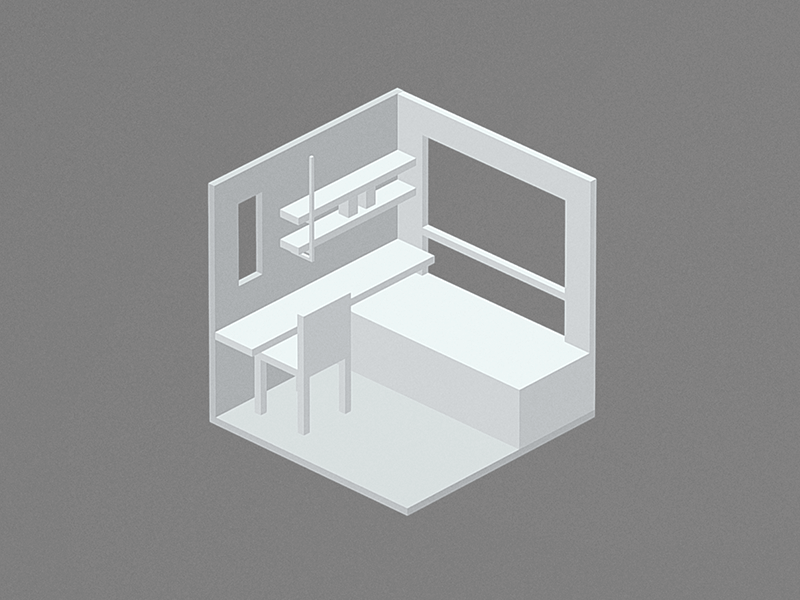
<p><br />
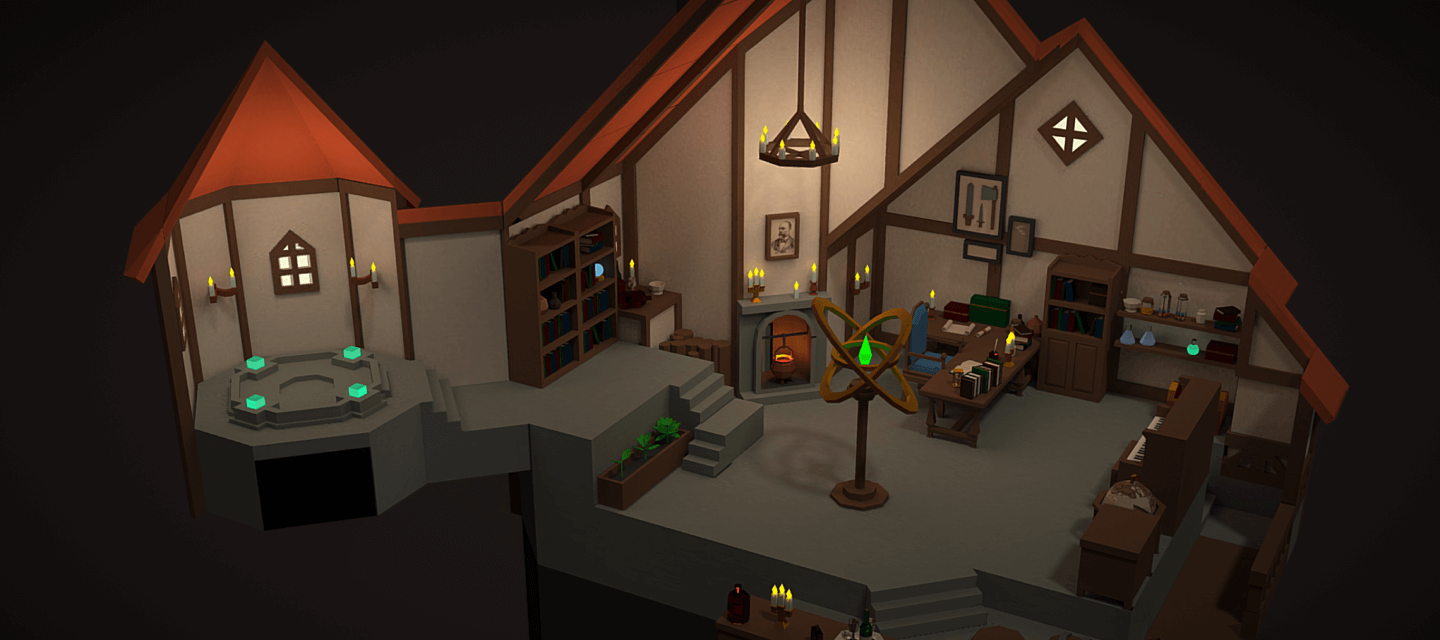
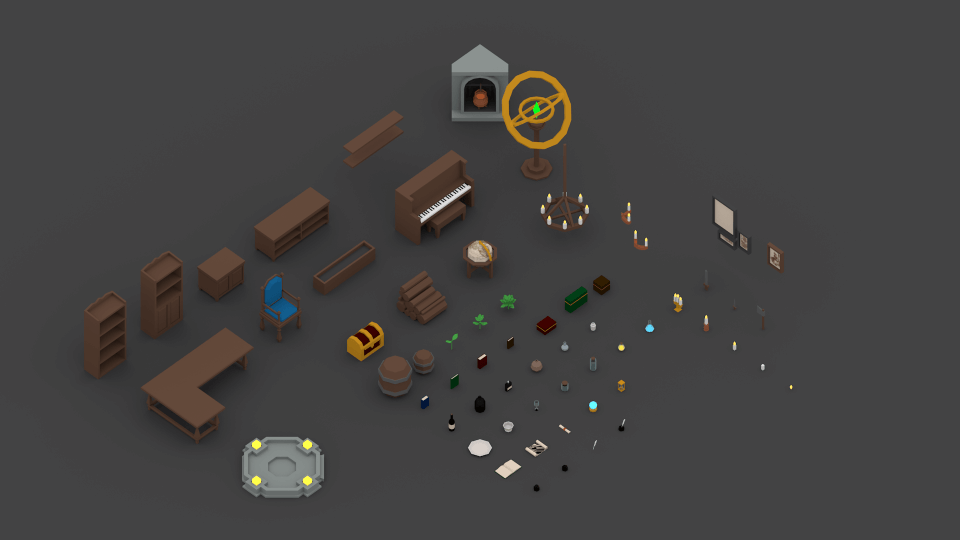
<img src="/assets/img/2021-01-12-og.png" alt="The Great Sorcerer’s Room, 3D Model" /></p>

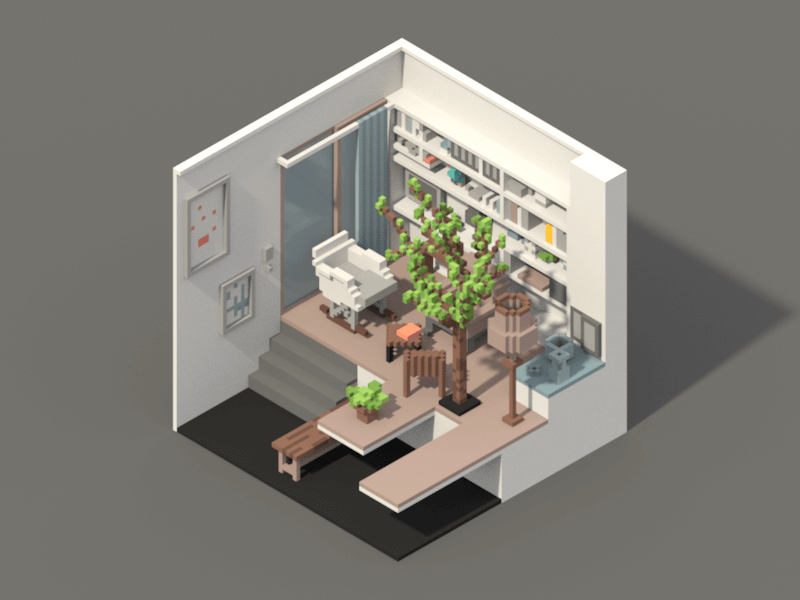
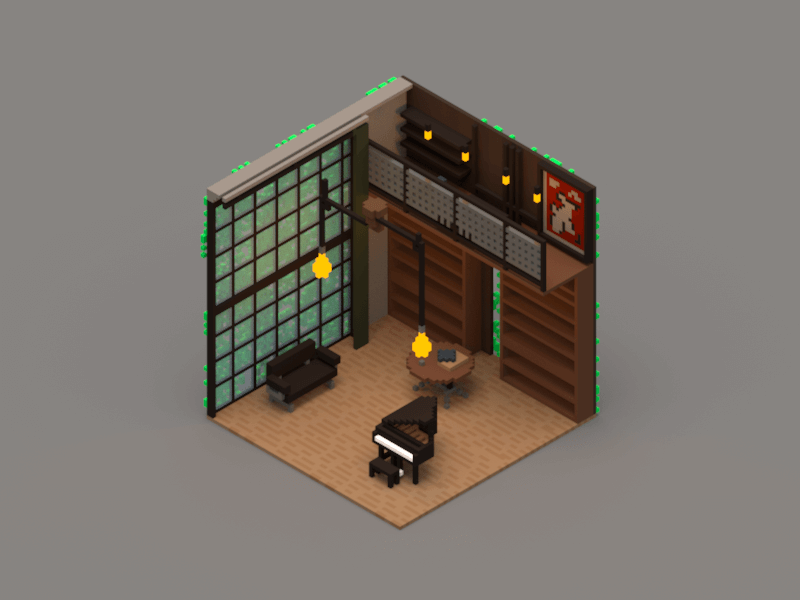
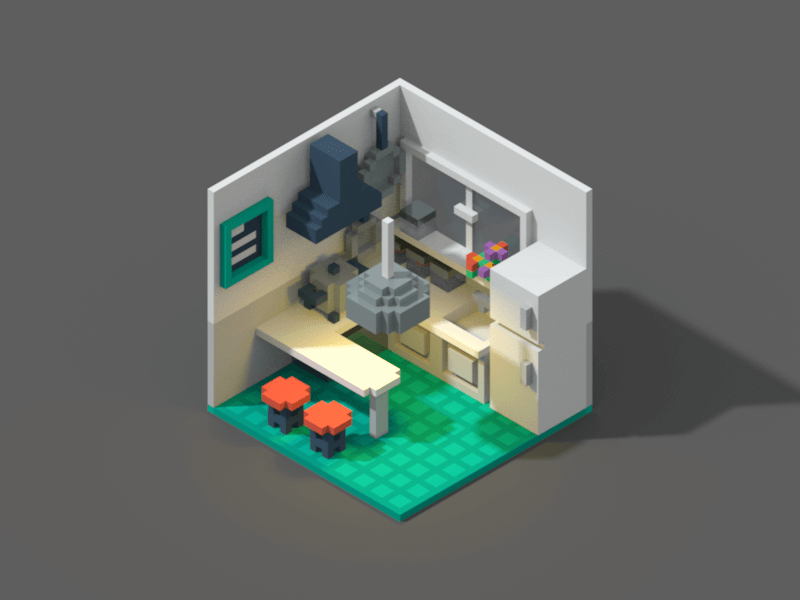
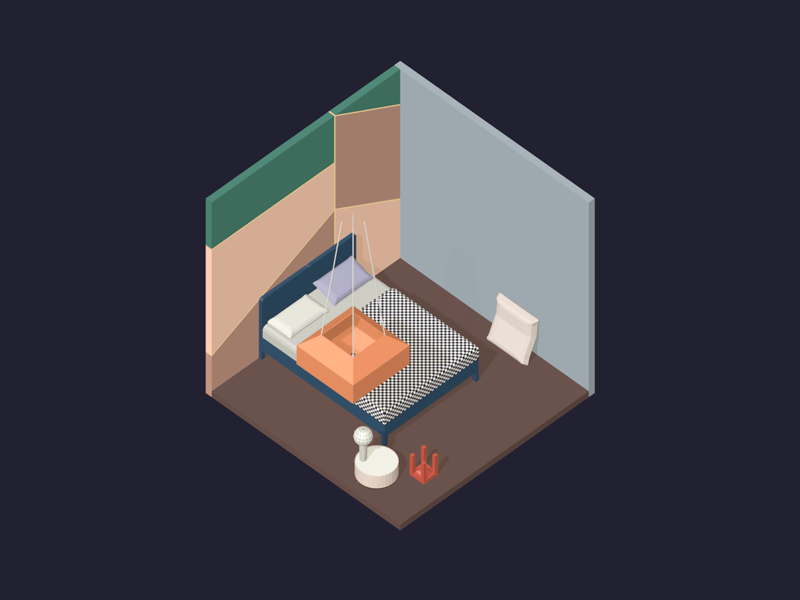
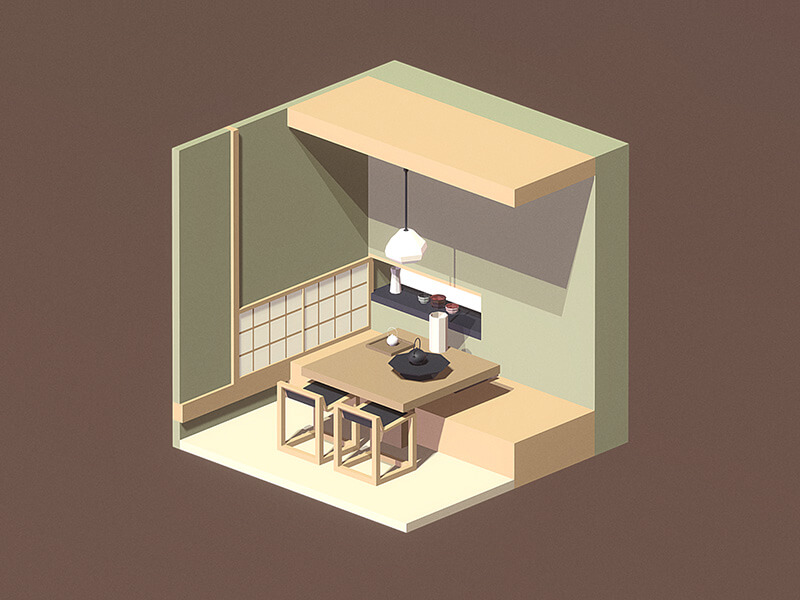
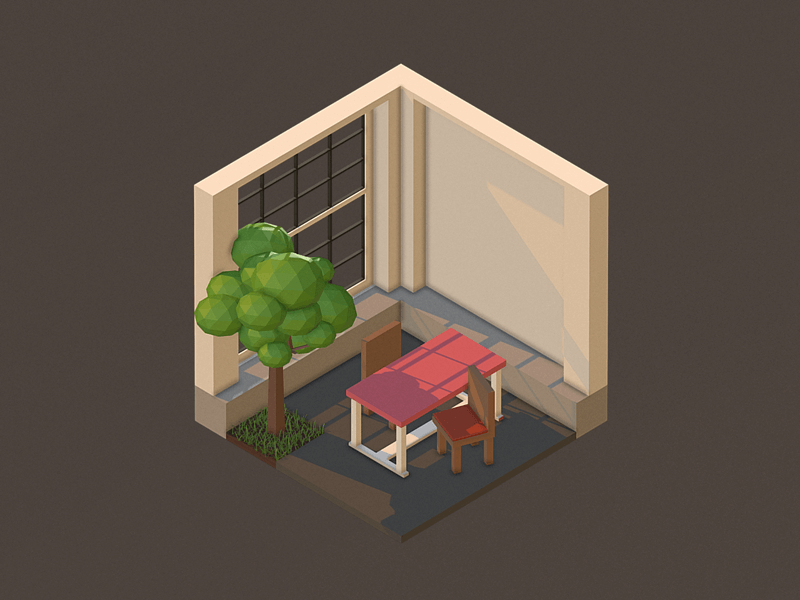
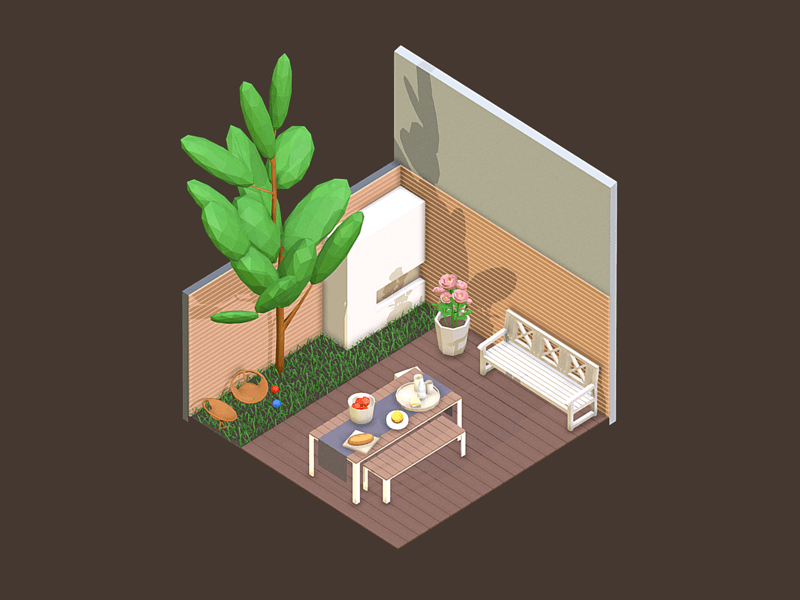
<p>From March to May 2017, I picked up <span class="small-caps">3D</span> modeling skills. I started with zero <span class="small-caps">3D</span> experience (couldn’t even play <span class="small-caps">3D</span> games well), and I’m now able to create almost everything I want in the low poly style. My models also won an honorable mention and a staff pick on Sketchfab.</p>

<p>I want to share this journey and my methodology—I’m pretty good at picking up new skills. I learned <a href="https://app.milanote.com/1In0EK1nMGaC6F" target="_blank">watercolor sketch in about 5 weeks</a>, and I won two prizes at the 2018 Creating Reality Hackathon right after finishing the <span class="small-caps">VR</span> nanodegree program at Unity.</p>

<p>This post will focus on <span class="small-caps">3D</span> modeling, but these principles can really be applied to learning any new skill.</p>

<h3 id="1-regular-incremental-deliberate-practice-in-public">1. Regular, Incremental, Deliberate Practice in Public</h3>

<p>From my experiences, the first thing to do before getting started on a new skill is to setup a forcing function. A regular practice you can stick to. I find weekly to be manageable and also frequent enough. You can do daily or twice per week if it’s something small and you can afford it. I tend to think weekly is the minimum necessary to make it a part of your life’s rhythm.</p>

<p>Next, to actually force you to stick to it, make it public. I shared my work on both <a href="https://sketchfab.com/moyicat" target="_blank">Sketchfab</a> and <a href="https://dribbble.com/moyicat" target="_blank">Dribbble</a>, but you don’t have to use public communities. The key is really that it <em>isn’t</em> private. You can post your work to a group of friends. Some online courses come with homework. That’s great, too. Grab every resource to fight your tendency for procrastination and build momentum. Finally, don’t make it intimidating. Limit the scope as much as you can. Focus on baby steps and publishing your work rather than making it perfect.</p>

<p>I chose to recreate one room I like in <span class="small-caps">3D</span> every week. I decided to work from photos, so I don’t spend <em>any</em> time designing those rooms. (I can spend countless hours designing rooms in The Sims. It’s a trap!) Limiting the scope to rooms also ensured that I would focus on still-life, everyday objects, but kept the door open, so that if I want to put a cat in one of those rooms, I can.</p>

<p>Then, instead of learning the tool of trade, <a href="https://www.blender.org/" target="_blank">Blender</a>, right away, I started <em>really</em> light, with <a href="https://ephtracy.github.io/" target="_blank">MagicaVoxel</a>.</p>

<p>This idea came from my fascination with pixel art. Growing up, I wasn’t good at drawing, but I found that pixel art drastically limited the decisions I needed to make, and that made it easy for me. Instead of thinking about where to put a stroke on an entire blank canvas, I just needed to decide where to put it in a 16x16 grid.</p>

<p>I found the same thing with voxel art. Instead of learning how to use the rich feature set in Blender, I only needed to know about 6 buttons to get started.</p>

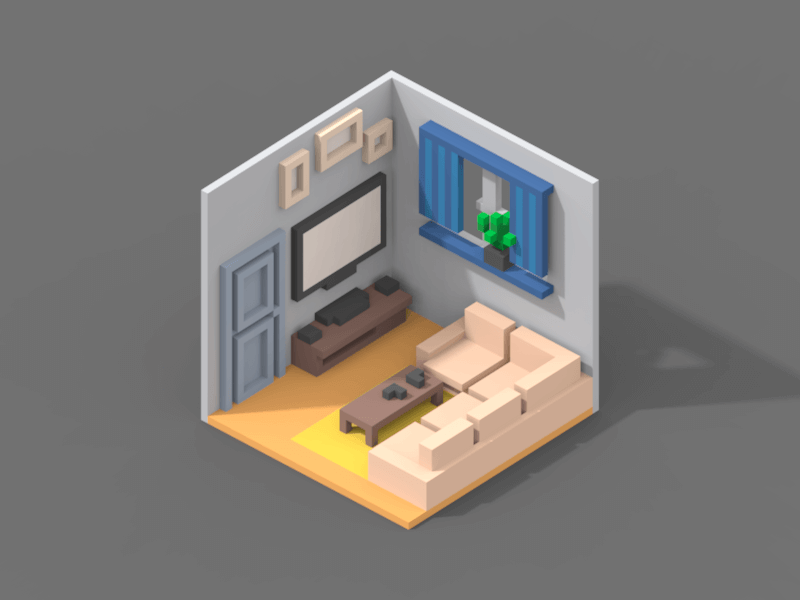
<p>Here’s room 01:</p>

<div class="img-right-wrap">
	<p>
		<a href="https://sketchfab.com/3d-models/room-01-magicavoxel-cbebf8f78edb4f80ac18b54f6771a90b" target="_blank">
			<img src="/assets/img/2021-01-12-room-01.png" alt="Room 01" />
		</a>
		<br />
		<span class="caption">Week 01: Simple shapes</span>
	</p>
</div>

<p>It looks half-decent, thanks to MagicaVoxel’s good out-of-the-box rendering functions, but it’s really just blocks and colors in a 32x32x32 space, nothing fancy. If I had chosen to start with Blender, I would have needed to spend hours familiarizing myself with all the hotkeys, as well as spend a lot of time on lighting and rendering.</p>

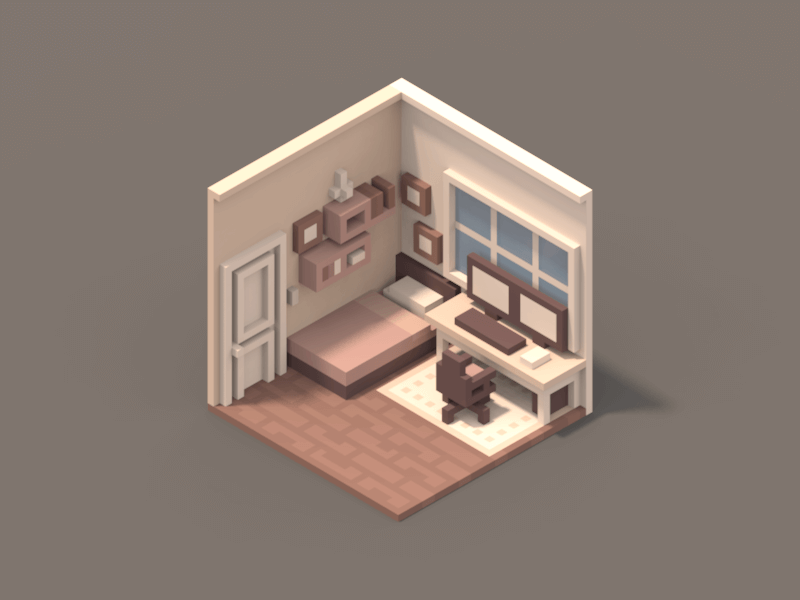
<p>I stuck with MagicaVoxel all the way until week 07. That’s half of the time I spent on this project. Limiting the scope really helped me to make quick incremental progress every week. You can click on each image to check out the models and the reference photos.</p>

<table>
  <tbody>
    <tr>
      <td><a href="https://sketchfab.com/3d-models/room-02-magica-voxel-42de6218d891419f8ad9e623777e003e" target="_blank"><img src="/assets/img/2021-01-12-room-02.png" alt="Room 02" /></a> <br /> <span class="caption">Week 02: Complex shapes</span></td>
      <td> </td>
      <td><a href="https://sketchfab.com/3d-models/room-03-magicavoxel-220b133f5d9c40628b08beeb1dcdb260" target="_blank"><img src="/assets/img/2021-01-12-room-03.gif" alt="Room 03" /></a> <br /> <span class="caption">Week 03: Stop-frame animation</span></td>
      <td> </td>
      <td><a href="https://sketchfab.com/3d-models/room-04-magicavoxel-27c20a0a51124f9c883c080f3323ea04" target="_blank"><img src="/assets/img/2021-01-12-room-04.png" alt="Room 04" /></a> <br /> <span class="caption">Week 04: Tripling the space</span></td>
    </tr>
  </tbody>
</table>

<table>
  <tbody>
    <tr>
      <td><a href="https://sketchfab.com/3d-models/room-05-magicavoxel-a972ed2dd80946639f2798a173219352" target="_blank"><img src="/assets/img/2021-01-12-room-05.png" alt="Room 05" /></a> <br /> <span class="caption">Week 05: Adding lights</span></td>
      <td> </td>
      <td><a href="https://sketchfab.com/3d-models/room-06-magicalvoxel-dc7298151a674057969d4f4938513a88" target="_blank"><img src="/assets/img/2021-01-12-room-06.png" alt="Room 06" /></a> <br /> <span class="caption">Week 06: Improve light rendering</span></td>
      <td> </td>
      <td><a href="https://sketchfab.com/3d-models/room-07-magicavoxel-59d7f7e9c72840138e1fe0413c6017a6" target="_blank"><img src="/assets/img/2021-01-12-room-07.png" alt="Room 07" /></a> <br /> <span class="caption">Week 07: Putting everything together</span></td>
    </tr>
  </tbody>
</table>

<p>That’s how a narrow focus can help you grow quickly. By the way, I also won SketchFab’s honorable mention and staff pick without knowing a thing about Blender between week 06 and 07.</p>

<p>My Blender learning curve was similar. It felt like I was relearning everything for a few weeks, but by that point, I already had a decent grasp of how to navigate the <span class="small-caps">3D</span> world and could focus on learning the interface and the features.</p>

<h3 id="2-follow-one-high-quality-course">2. Follow One High Quality Course</h3>

<p>As I switched to Blender, the learning curve got steeper. I couldn’t just push random buttons with hopes that I’d just figure it out. At that point, I knew I needed to find one high quality course that I could follow.</p>

<p>You don’t want multiple sources, because they might overlap, and might even have contradicting point of views. Pick a single, high-quality source. Paying for it isn’t bad either. A good course is always a worthy investment. And that sunk cost can be your motivation—it surely was for me.</p>

<p>I always try to find a step-by-step guide that I can follow along with. However, I know a programmer who can just read through 3 textbooks on <span class="small-caps">C#</span> and learn how to code in it. Choose your preferred format but choose one guide and stick to it.</p>

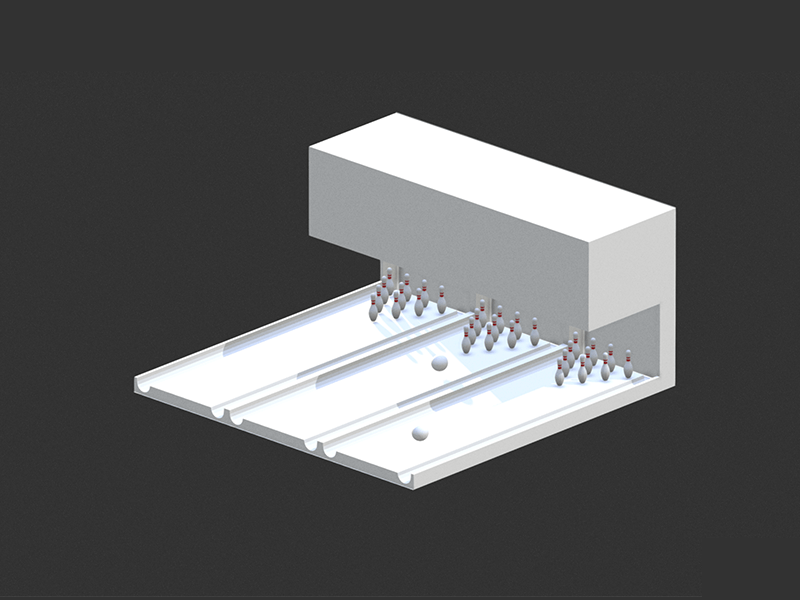
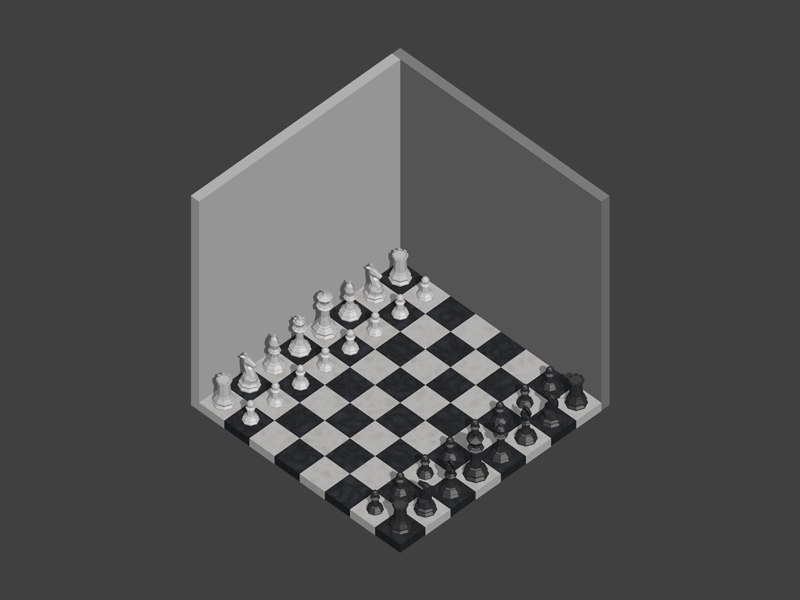
<p>I spent some time looking and settled with the <a href="https://www.udemy.com/course/blendertutorial/" target="_blank">Complete Blender Creator: Learn 3D Modelling for Beginners</a> course on Udemy (not affiliated). It has the highest example-to-content ratio, and I saw how I could follow one example each week and incorporate it into my weekly rooms. I got a steal on sale and bought it for just $15. Here’s my learning curve from week 08 to 14:</p>

<table>
  <tbody>
    <tr>
      <td><a href="https://sketchfab.com/3d-models/room-08-blender-a190ac56117e495c86a2e72a66b60c7b" target="_blank"><img src="/assets/img/2021-01-12-room-08.png" alt="Room 08" /></a> <br /> <span class="caption">Week 08: Learning Interface</span></td>
      <td> </td>
      <td><a href="https://sketchfab.com/3d-models/room-09-blender-2f4bced20c5d436ca2da7d8843afbe14" target="_blank"><img src="/assets/img/2021-01-12-room-09.png" alt="Room 09" /></a> <br /> <span class="caption">Week 09: Simple Shapes</span></td>
      <td> </td>
      <td><a href="https://sketchfab.com/3d-models/room-10-blender-e987089264d943c8912d6ac9452b8e6b" target="_blank"><img src="/assets/img/2021-01-12-room-10.png" alt="Room 10" /></a> <br /> <span class="caption">Week 10: More Complex Shapes</span></td>
    </tr>
  </tbody>
</table>

<p>I was relying on Sketchfab’s rendering because I haven’t learnt how to do it in Blender yet. I also bent the idea of the “room” to fit the Udemy course content (“Bowling balls and Pins” and “Low Poly Chess Set”). I consider them not too far-fetched. Ron and Harry played life-size Wizard’s Chess in a room after all.</p>

<p>At that point, the course went into animation. That looked like a lot. I stopped there and practiced with what I’d learned. The progression was similar to the MagicaVoxel rooms, but now in Blender with more varying shapes:</p>

<table>
  <tbody>
    <tr>
      <td><a href="https://sketchfab.com/3d-models/room-11-blender-3a03869fdb3049b3a66cfefaa98c894f" target="_blank"><img src="/assets/img/2021-01-12-room-11.png" alt="Room 11" /></a> <br /> <span class="caption">Week 11: Back to Reference</span></td>
      <td> </td>
      <td><a href="https://sketchfab.com/3d-models/room-12-blender-370c896a973244888337b0f8e5263fb7" target="_blank"><img src="/assets/img/2021-01-12-room-12.jpg" alt="Room 12" /></a> <br /> <span class="caption">Week 12: Intricate shapes</span></td>
      <td> </td>
      <td><a href="https://sketchfab.com/3d-models/room-13-blender-8d26d03d4e7b473b8d050e6e0e888733" target="_blank"><img src="/assets/img/2021-01-12-room-13.png" alt="Room 13" /></a> <br /> <span class="caption">Week 13: Organic Shapes</span></td>
      <td> </td>
      <td><a href="https://sketchfab.com/3d-models/room-14-blender-6ba9fd270bb04ddbb5d8eae11ed58f9f" target="_blank"><img src="/assets/img/2021-01-12-room-14.png" alt="Room 14" /></a> <br /> <span class="caption">Week 14: Everything put together</span></td>
    </tr>
  </tbody>
</table>

<p>At that point, I felt confident that I could create a low-poly model of almost anything I want in Blender.</p>

<h3 id="3-cultivate-3d-sense-at-every-opportunity">3. Cultivate 3D Sense at Every Opportunity</h3>

<p>Another important piece of this journey was cultivating my <span class="small-caps">3D</span> imagination at every opportunity, because I had none at the beginning.</p>

<p>My ability to understand and imagine things in <span class="small-caps">3D</span> was so bad that I sucked at <span class="small-caps">3D</span> games for my entire life. It was embarrassing when my friends urged me to try World of Warcraft. 75% of the time I was asking “Where am I?” “Where are we going?” “Wait, where are the enemies coming from?” and “No…” because I died again. The other 25%? I was just spacebar following someone. At least that was easy :) As a UX designer, I can easily see <span class="small-caps">2D</span> designs in my head before I put down the pixels. Not being able to do the same in <span class="small-caps">3D</span> was frustrating.</p>

<p>So, what did I do? Deliberate practice, but in fun ways.</p>

<p>The first thing I picked up is Minecraft. It’s a <span class="small-caps">3D</span> game in its simplest format. Exploring caves and abandoned mine shafts, finding my way in roofed forests and ravines, I slowly grew from having to constantly cheat and check coordinates to having an idea about where I was going in winding tunnels.</p>

<p><img src="/assets/img/2021-01-12-minecraft.png" alt="Minecraft Screenshot" />
<span class="caption">Source: <a href="https://minecraft.gamepedia.com/File:Medium_Connected_Cavern.png" target="_blank">Official Minecraft Wiki</a></span></p>

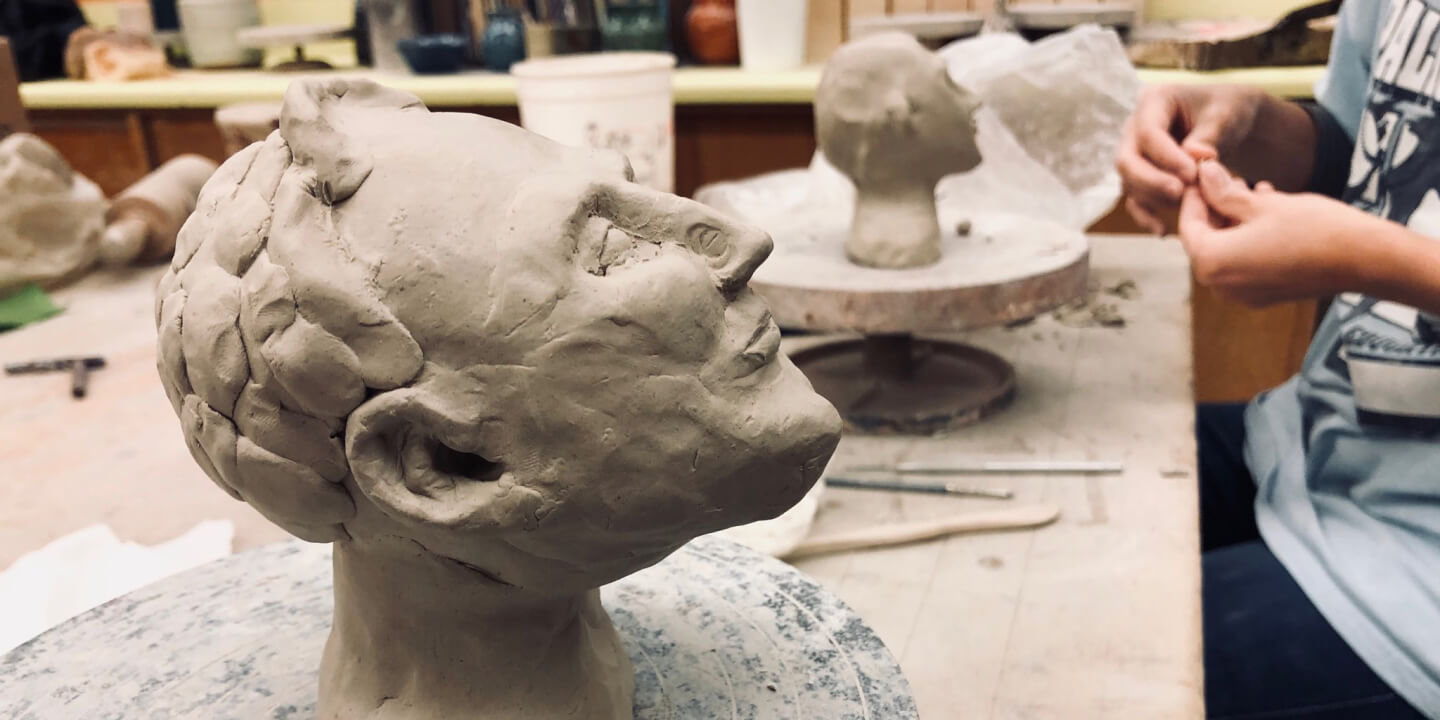
<p>The other thing I did was signing up for a pottery class at my local community college. Physically holding clay in my hands and doing <span class="small-caps">3D</span> modeling in real world gave me a fresh perspective, and the relatively slow pace gave me time to think.</p>

<p><img src="/assets/img/2021-01-12-pottery.jpg" alt="Head model made in pottery class" target="_blank" /></p>

<p>I now have a way better ability to see objects in <span class="small-caps">3D</span> in my mind. And interestingly, it also helped my drawing—I had little real training and used to struggle with perspective a lot, but now that I’m better at imagining objects in <span class="small-caps">3D</span> and turning them around in my mind, it really helps.</p>

<h3 id="4-enter-competitions">4. Enter Competitions</h3>

<p>Now the last point, the secret ingredient: enter competitions.</p>

<p>We all need motivation to keep us going, and competition provides a clear objective, a clear timeline, and an opportunity to put our skills to the test. It’s especially fun to join as a newbie since you’ve got nothing to lose; and if by sheer chance you win something, that’s great external validation. Even if you lose, you will still have some really polished pieces, probably the best work you can do at the time.</p>

<p>I joined three Sketchfab competitions as I was learning <span class="small-caps">3D</span> modeling.</p>

<h6 id="my-ideal-planet-voxel">My Ideal Planet (Voxel)</h6>

<p>The first competition I entered was around week 06. I was lucky that a <a href="https://sketchfab.com/blogs/community/sketchfab-voxel-challenge-ideal-planet/" target="_blank">voxel challenge</a> dropped while I was deep in MagicaVoxel.</p>

<p>The brief was about creating one’s ideal planet in voxel, and that immediately led me to thinking about how <a href="https://en.wikipedia.org/wiki/The_Little_Prince" target="_blank">the little prince</a> traveled to many planets. What’s the most ideal planet? Definitely the scenario in which he returns to his planet, with the little sheep in the box. The sunset planet was the only competition, but that would be relying on a sunset backdrop to work, not the modeling itself.</p>

<p>So I started, day and night, tackling a way larger canvas than I ever had before. To make the composition more interesting, I put the little prince at a diagonal angle, and that took a lot of trial and error. The little prince and his little sheep were the only two living characters I’ve ever modeled. I also picked up more MagicaVoxel to Sketchfab exporting skills along the way.</p>

<div class="p">
	<div class="video-wrap">
		<div class="sketchfab-embed-wrapper">
			<iframe class="video" title="Voxel Planet of the Little Prince / MagicaVoxel" src="https://sketchfab.com/models/8a7cf90ac42c4ef693342404826c06ae/embed?autostart=0&amp;ui_controls=1&amp;ui_infos=1&amp;ui_inspector=1&amp;ui_stop=1&amp;ui_watermark=1&amp;ui_watermark_link=1" frameborder="0" allow="autoplay; fullscreen; vr" mozallowfullscreen="true" webkitallowfullscreen="true"></iframe>
		</div>
	</div>
</div>

<p>Although there are a lot of imperfections (my biggest regret is I put the volcano in the dead center of the orb, which makes it too uptight), my hard work paid off, and it got both an honorable mention and a staff’s pick!</p>

<h6 id="utopia-low-poly">Utopia (Low-poly)</h6>

<p>The <a href="https://sketchfab.com/blogs/community/sketchfab-low-poly-utopia/" target="_blank">second challenge</a> dropped around week 13. It was about creating futuristic utopian assets under 2k triangles, which was perfect for my skill level. I wouldn’t have a chance in many Sketchfab challenges. Having a limit on the number of triangles leveled the playing field a bit for me.</p>

<p>I took the opportunity to learn simple animation in Blender, and again, just so I’d have a slightly better chance at winning, I spent more time on lighting and rendering in those challenges than in my weekly room practices.</p>

<p>Here’s the final rendering:</p>

<div class="p">
	<div class="video-wrap">
		<div class="sketchfab-embed-wrapper">
			<iframe class="video" title="Utopia" src="https://sketchfab.com/models/0646e17a9f0a46c4aab2da5ab1ba661d/embed?autostart=0&amp;ui_controls=1&amp;ui_infos=1&amp;ui_inspector=1&amp;ui_stop=1&amp;ui_watermark=1&amp;ui_watermark_link=1" frameborder="0" allow="autoplay; fullscreen; vr" mozallowfullscreen="true" webkitallowfullscreen="true"></iframe>
		</div>
	</div>
</div>

<p>It didn’t win me anything, unfortunately, but that’s expected. Even without any prize, it’s a very nice piece that I created towards the end of my journey, and I adore the end result.</p>

<h6 id="medieval-fantasy-asset-pack-low-poly">Medieval Fantasy Asset Pack (Low Poly)</h6>

<p>The last challenge, and the real proof of how far I’ve got in 14 weeks’ time, was the <a href="https://sketchfab.com/blogs/community/real-time-design-challenge-medieval-fantasy/" target="_blank">medieval game assets challenge</a>. This is a highly competitive challenge, with far higher prizes (10x monetary value) than Sketchfab’s typtical challenge. I know I had basically no chance to win (take a look at the <a href="https://sketchfab.com/blogs/community/amazing-scenes-won-medieval-fantasy-contest/" target="_blank">winning projects</a>—I really had zero chance), but it was such a great concept.</p>

<p>I am a huge fan of Dungeons &amp; Dragons, and I was scoping out my capstone project for my <span class="small-caps">VR</span> nanodegree at Udacity at the time. I saw the opportunity to morph the two projects into one and create the assets for a medieval-themed room escape game.</p>

<p>What’s more, it just so happens that the Udemy course I bought has an entire chapter on game asset packs. It’s like I kindled  <span class="small-caps">3D</span>-modeling-related things here and there, and they all led to this serendipity.</p>

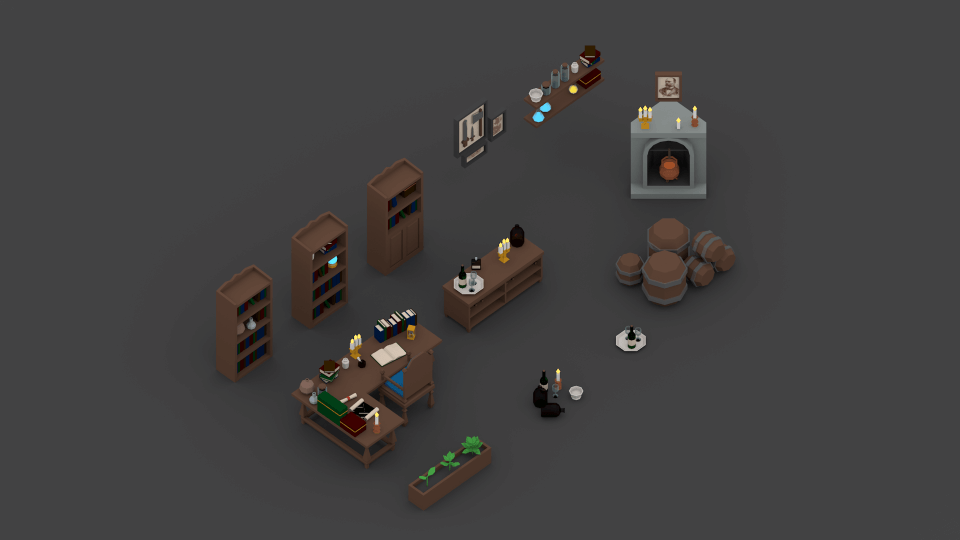
<p>So I got to work. From modeling each component, to setting up a grid system so both external walls and roofs as well as internal decors and furniture were modular (my knowledge of design systems also played a role here), and then on to cycle rendering and baking lights… It’s amazing how much I learned just to do well in one challenge.</p>

<div class="p">
	<div class="video-wrap">
		<div class="sketchfab-embed-wrapper">
			<iframe class="video" title="The Great Sorcerer’s Room" src="https://sketchfab.com/models/4a26317612b14bef831b1b3305e20c1c/embed?autostart=0&amp;ui_controls=1&amp;ui_infos=1&amp;ui_inspector=1&amp;ui_stop=1&amp;ui_watermark=1&amp;ui_watermark_link=1" frameborder="0" allow="autoplay; fullscreen; vr" mozallowfullscreen="true" webkitallowfullscreen="true"></iframe>
		</div>
	</div>
</div>

<p>Beautiful rendering, lights, shadows, and textures. Definitely the best work I could have produced with my skill set.</p>

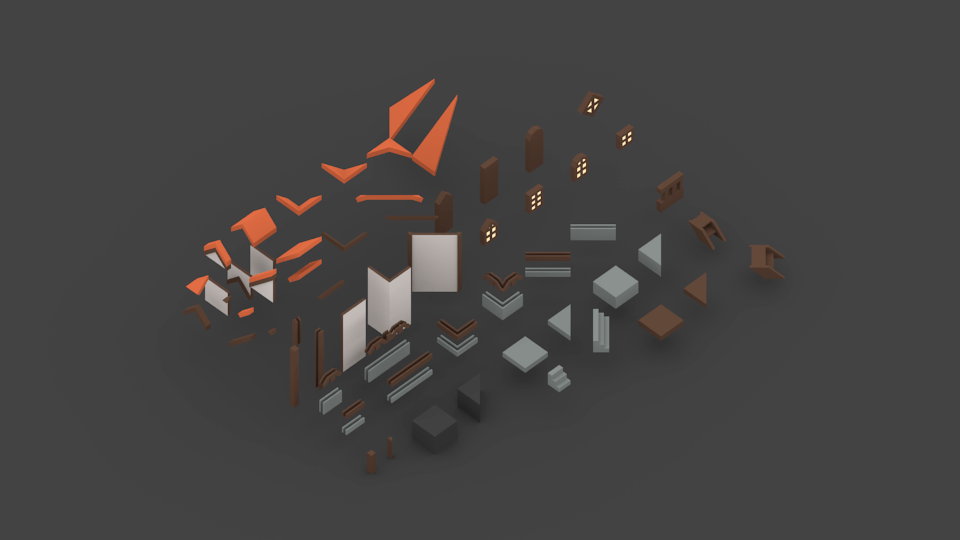
<p>That’s not all: because I spent the time and made everything modular, I don’t just have this one room. I have components that would allow me to make many medieval rooms:</p>

<table>
  <tbody>
    <tr>
      <td><img src="/assets/img/2021-01-12-medieval-exterior.png" alt="Medieval Assets: Exterior" /></td>
      <td> </td>
      <td><img src="/assets/img/2021-01-12-medieval-interior.png" alt="Medieval Assets: Interior Items" /></td>
      <td> </td>
      <td><img src="/assets/img/2021-01-12-medieval-interior-groups.png" alt="Medieval Assets: Interior Item Groups" /></td>
    </tr>
  </tbody>
</table>

<p>I put it in a <a href="https://github.com/moyicat/medieval-assets" target="_blank">repo</a> so anyone who wants to create medieval rooms can make use them.</p>

<p>As planned, it also became the asset pack for my <a href="https://github.com/moyicat/vr-escape-room" target="_blank">capstone project</a> for the nanodegree program.</p>

<h3 id="5-make-many-pots">5. Make Many Pots</h3>

<p>In <em>Art &amp; Fear</em> there’s a famous story: At the beginning of a pottery class, the teacher told one group of students to focus on quantity and try to make many pots; and the other to focus on quality, making the one best pot. At the end of the semester, the group that made many pots won with a landslide—with the many pots that they made, they inevitably landed on a few great ones that are even better than the pots made by the group fully focusing on quality.</p>

<p>Looking back to all my works at the end of my <span class="small-caps">3D</span> learning journey, it’s the same story. When I made each of my weekly rooms, I was never really focused on quality. But 2 out of the 14 rooms that I made, room 04 and 12, ended up being great. They both got more likes than the Little Prince planet that has won honorable mention and staff’s pick.</p>

<table>
	<tr>
		<td>
			<div class="video-wrap">
				<div class="sketchfab-embed-wrapper">
					<iframe class="video" title="The Great Sorcerer’s Room" src="https://sketchfab.com/models/27c20a0a51124f9c883c080f3323ea04/embed?autostart=0&amp;ui_controls=1&amp;ui_infos=1&amp;ui_inspector=1&amp;ui_stop=1&amp;ui_watermark=1&amp;ui_watermark_link=1" frameborder="0" allow="autoplay; fullscreen; vr" mozallowfullscreen="true" webkitallowfullscreen="true"></iframe>
				</div>
			</div>
		</td>
		<td>
			<div class="video-wrap">
				<div class="sketchfab-embed-wrapper">
					<iframe class="video" title="The Great Sorcerer’s Room" src="https://sketchfab.com/models/370c896a973244888337b0f8e5263fb7/embed?autostart=0&amp;ui_controls=1&amp;ui_infos=1&amp;ui_inspector=1&amp;ui_stop=1&amp;ui_watermark=1&amp;ui_watermark_link=1" frameborder="0" allow="autoplay; fullscreen; vr" mozallowfullscreen="true" webkitallowfullscreen="true"></iframe>
				</div>
			</div>
		</td>
	</tr>
</table>

<p>They look awesome by any standard. I couldn’t have planned for it. Nor can I spend some time today and create another one of the same level of quality. But I do know if I go back to it and make another 14 rooms, chances are good that I will get another great one.</p>

<p>This is how I learnt to create <span class="small-caps">3D</span> models and many other things: practice deliberate and regularly, follow one high quality source, cease every opportunity, enter competitions, and finally, make many pots.</p>]]></content><author><name>Samantha Zhang</name></author><category term="blog" /><category term="3D" /><category term="VR" /><summary type="html"><![CDATA[Learning 3D Modeling in 14 Weeks]]></summary></entry><entry><title type="html">What S More To Design In A Chair</title><link href="https://samanthazhang.com/writing/what-s-more-to-design-in-a-chair" rel="alternate" type="text/html" title="What S More To Design In A Chair" /><published>2020-08-31T00:00:00+00:00</published><updated>2020-08-31T00:00:00+00:00</updated><id>https://samanthazhang.com/writing/what-s-more-to-design-in-a-chair</id><content type="html" xml:base="https://samanthazhang.com/writing/what-s-more-to-design-in-a-chair"><![CDATA[<h1 id="whats-more-to-design-in-achair">What’s More to Design in a Chair</h1>

<p><img src="/assets/img/2020-08-31-og.jpeg" alt="A chair" />
<span class="caption">Photo by <a href="https://unsplash.com/@dillon_mangum?utm_source=unsplash&amp;utm_medium=referral&amp;utm_content=creditCopyText" target="_blank">Dillon Mangum</a> on <a href="https://unsplash.com/@dillon_mangum?utm_source=unsplash&amp;utm_medium=referral&amp;utm_content=creditCopyText" target="_blank">Unsplash</a></span></p>

<p><a href="https://openai.com/blog/openai-api/" target="_blank">OpenAI’s launch of GPT-3</a> was a wake-up call: AIs are evolving quickly, and the stories about AI surpassing human intelligence like a bullet train seem not-so-fictional these days.</p>

<p>Tobias van Schneider wrote in his recent article “<a href="https://vanschneider.com/ux-designers-automated-by-ai-when-will-it-happen" target="_blank">UX designers automated by AI? When will it happen?</a>”:</p>

<blockquote>
  <p>“The majority of work that is put out these days is mediocre at best…The majority of apps you see these days work pretty much like any other app…Both UX and UI designers have been working hard to standardize not only patterns and systems, but also libraries and guidelines. In a way, we’ve been automating ourselves out of our jobs for the last couple years already.”</p>
</blockquote>

<p>Being a system-thinker designing for the past 6 years, I’m definitely in the same boat — I focus on creating design primitives that others can leverage and use like <span class="small-caps">LEGO</span> bricks.</p>

<p>On the one hand, it allows me to do the work that I find more interesting, thinking through how different types of data should be presented rather than spending lots of time on each individual dataset. At the same time, more and more of the field seems to have matured over the years, and there are times that I feel there’s not much more to design.</p>

<p>It’s daunting, but through a different lens, it’s actually a great collective win that we achieved as designers.</p>

<hr />

<p>When human beings first got introduced to this world of machines, it was like entering Westworld. Engineers started to create file systems, applications, and functions before there was even a graphical interface, and when we finally got that interface, there were mountains of new ideas to visualize in a way that a broader audience understands — how do you present the idea of a file system that is not made of paper and ink but electrons? How do you convey to the user which elements on the screen they can interact with and how should they do that?</p>

<p>Over time, with many skillful designers, we’ve established the Human Interface Guidelines — the commonality of clicks, buttons, and even the icon with three horizontal lines now apparently means “menu” to everyone.</p>

<p><img src="/assets/img/2020-08-31-menu.png" alt="Hamburger menu icon" /></p>

<p>When we live in a world like this, trying to challenge the established, educated user pattern is counter-productive. Remember how many times we’ve tried to replace the very anti-ergonomic <span class="small-caps">QWERTY</span> keyboard layout but failed?</p>

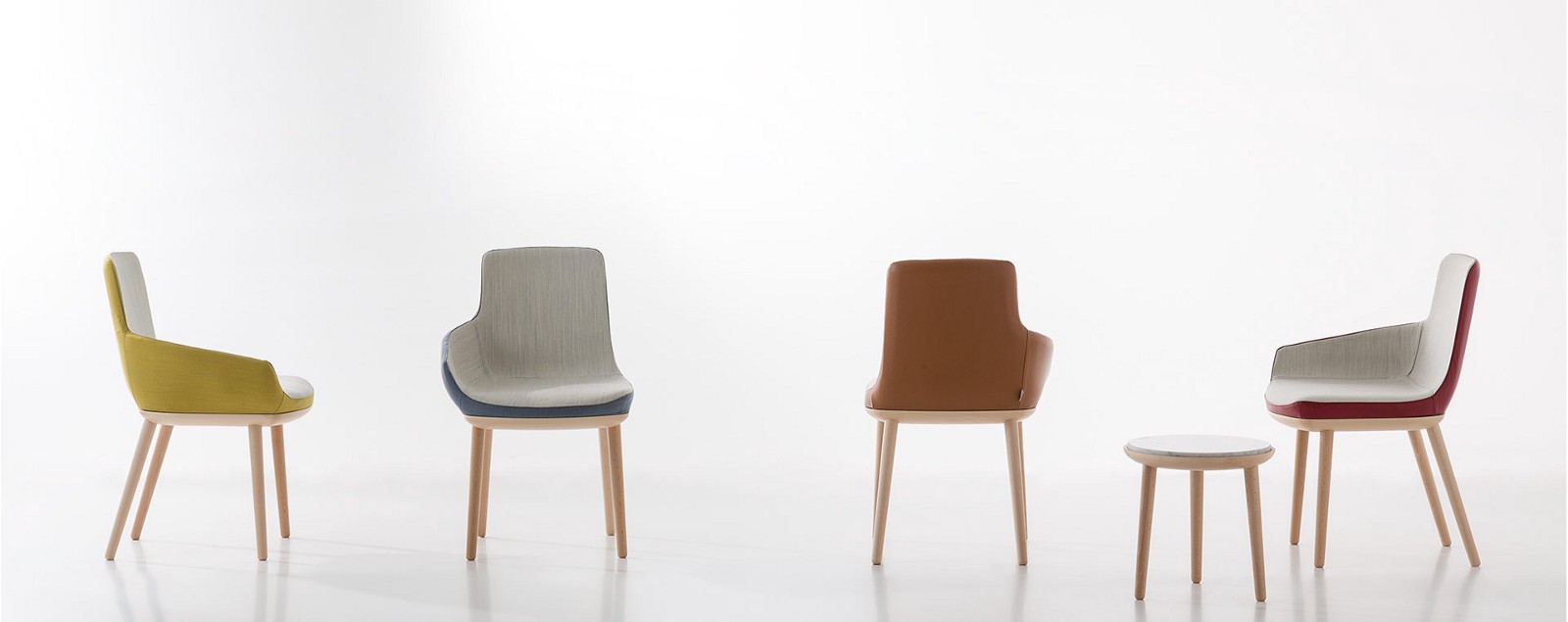
<p>So instead, it’s indeed the design work that needs to be changed. Think about chairs — <em>Every chair looks pretty much like any other chair</em>, in same way that every app looks pretty much like any other app. But there are still many people who design chairs, and there are many brilliant chair designs.</p>

<p><img src="/assets/img/2020-08-31-chair-design.jpeg" alt="chairs design" />
<span class="caption">Source: <a href="https://www.alegredesign.es/works/ego-byv-chair/" target="_blank">https://www.alegredesign.es/works/ego-byv-chair/</a></span></p>

<p>While there are designs that challenge the definition of chair, sometimes it’s also about admitting what a chair is and moving on. The human body looks like this and likely will not change in another thousand years, so the chair has to be about knee height, with a flat surface and support for body weight. Good chairs have back support because we are lazy and want to lean back.</p>

<p>Similarly, a digital button should have a large enough area to be a point-target (for a cursor or finger) and should have a label or symbol to state its purpose (good buttons often have both).</p>

<p><img src="/assets/img/2020-08-31-button.png" alt="A button" /></p>

<p>Everything else, you get to design — the color, the font choice, solid vs. hollow, etc. But the core pattern is established.</p>

<hr />

<p>It turns out there are many established product concepts in the world: chairs, doors, water bottles, hammers, cars, houses, the list goes on and on. Much of the design derives from the design of the human body itself: our hands are designed this way, so all our tools have to conform to that. In the same vein, the design of our mouth, eyes, and body all determine how products should work for us.</p>

<p>Those product concepts are so classic and eternal that they remind me of what philosophers like Plato would call “archetypes” — the ideas that seems to exist prior to any human experience.</p>

<p>The design of those concepts may feel more like discovered than invented. It’s designers’ share of uncovering the truth of the world.</p>

<p><img src="/assets/img/2020-08-31-tools.png" alt="Wood crafting and tools" />
<span class="caption">Photo by <a href="https://unsplash.com/@vekonyorsi?utm_source=unsplash&amp;utm_medium=referral&amp;utm_content=creditCopyText" target="_blank">Orsolya Vékony</a> on <a href="https://unsplash.com?utm_source=unsplash&amp;utm_medium=referral&amp;utm_content=creditCopyText" target="_blank">Unsplash</a></span></p>

<p>However, when we entered this digital era, we started to lose the constraints and the guidance that both came from our physical being.</p>

<p>The interface hardware still follows some constraints. A mouse is designed to fit the palm, and although phone makers constantly push for larger screens, there is a limit.</p>

<p><img src="/assets/img/2020-08-31-iphone.png" alt="Long iPhone meme" />
<span class="caption">Source: <a href="https://9gag.com/gag/5349639" target="_blank">https://9gag.com/gag/5349639</a></span></p>

<p>But you already start to see the constraints loosening. Take the keyboard, for example. The general design is based on the size and shape of the hand, but the location of each key is arbitrary. That allows the <span class="small-caps">QWERTY</span> vs. Dvorak conversation to happen in the first place.</p>

<p>When we get to entire software interfaces, it’s a free-for-all. I dream about the early days in the Human-Computer Interaction field, the time before “windows” (not the company but the UI element), “status bars” and “docks” were introduced. It was a blank canvas.</p>

<p><img src="/assets/img/2020-08-31-code.png" alt="Blank command line prompt" /></p>

<p>There were definitely principles and measuring sticks for good vs. bad design: the reference of real-world objects, the resemblance of how the underlying system works, etc. But I don’t believe we would have the same design for docks and windows or even the concepts of them in a parallel universe; while as long as human beings look the same, I’m pretty sure we will all have very similar chairs and bowls.</p>

<hr />

<p>We lived in a rare era during the digital revolution, where we had a blank canvas laid out in front of us and lots of interaction models were yet to be defined.</p>

<p>Now that everything in the digital world is maturing, we’ve started to have new constraints in our designs. Not in the form of physical limitations, but in the form of education costs. Surely, we can come up with a better design for the menu button, and no one likes the hamburger, but is that still worth it at this point?</p>

<p>As the educational cost and familiarity build moats for existing design patterns, an app design may look increasingly like a chair design. There is still a need for chair designers, but they might be a different type of designers than the current UX designers for digital products.</p>

<p>There’s a reason why we are seeing more stylistic trends in the UX design world, like the pendulum swing between skeuomorphism and minimalism in Apple’s design language.</p>

<p><img src="/assets/img/2020-08-31-mail.png" alt="Change of MacOS mail icon" />
<span class="caption">Source: <a href="https://uxdesign.cc/no-apple-is-not-moving-towards-neumorphism-3c144d74c53b" target="_blank">https://uxdesign.cc/no-apple-is-not-moving-towards-neumorphism-3c144d74c53b</a></span></p>

<p>UX design as we know it might become a thing of past, and it may look like industrial design or fashion design in the future. There will still be places for human taste and judgement to shine — and that’s the kind of value that AI would struggle to replace. But if you are into UX design in its current form, I can only see a few blue oceans in the <span class="small-caps">HCI</span> field.</p>

<p>Mixed reality seems to be one of them, but even mixed reality incorporates ideas like pointers from the existing digital design to save on education cost. And some VR designs are literally spaces of floating panels.</p>

<p>How humans interact with AI is maybe the next true blank canvas. Elon Musk’s other investment, <a href="https://www.neuralink.com/" target="_blank">Neuralink</a>, might open the door to a new world. However, I can’t even begin to wrap my mind around what a brain-computer interface would be like. I guess it’s the same way a chair designer would feel at the dawn of the computer age.</p>]]></content><author><name>Samantha Zhang</name></author><category term="articles" /><category term="UX" /><category term="AI" /><summary type="html"><![CDATA[What’s More to Design in a Chair]]></summary></entry><entry><title type="html">Crafting Design Systems For Big Data</title><link href="https://samanthazhang.com/writing/crafting-design-systems-for-big-data" rel="alternate" type="text/html" title="Crafting Design Systems For Big Data" /><published>2017-05-26T00:00:00+00:00</published><updated>2017-05-26T00:00:00+00:00</updated><id>https://samanthazhang.com/writing/crafting-design-systems-for-big-data</id><content type="html" xml:base="https://samanthazhang.com/writing/crafting-design-systems-for-big-data"><![CDATA[<h1 id="crafting-design-systems-for-bigdata">Crafting Design Systems for Big Data</h1>

<p><em>First posted at <a href="https://web.archive.org/web/20190411092723/https://design.blog/2017/05/26/samantha-zhang-on-crafting-design-systems-for-big-data" target="_blank">design.blog</a></em></p>

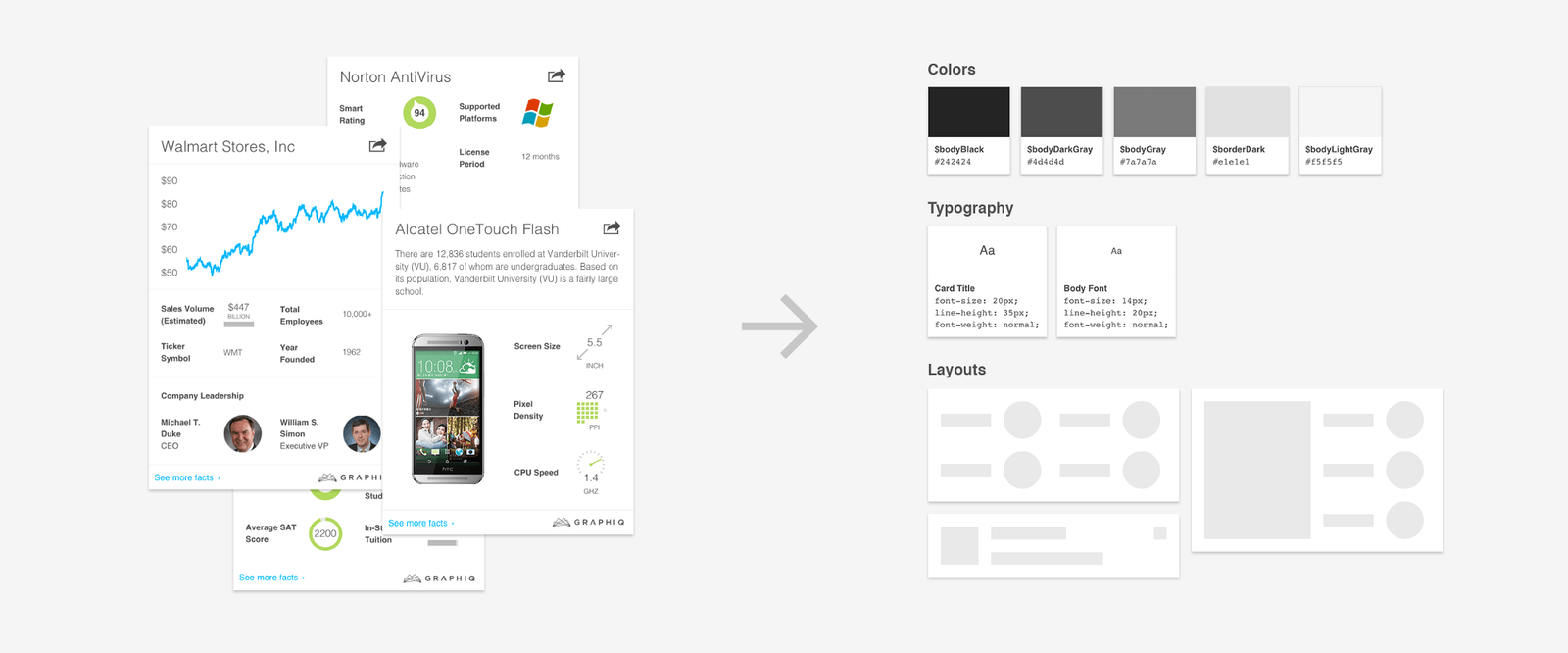
<p>Tailoring design for one dataset is easy — designing a system that works for all datasets is much more difficult. As we enter this era of big data, we face a critical challenge: how do we create more robust, scalable designs that can adapt to different content inputs and edge cases?</p>

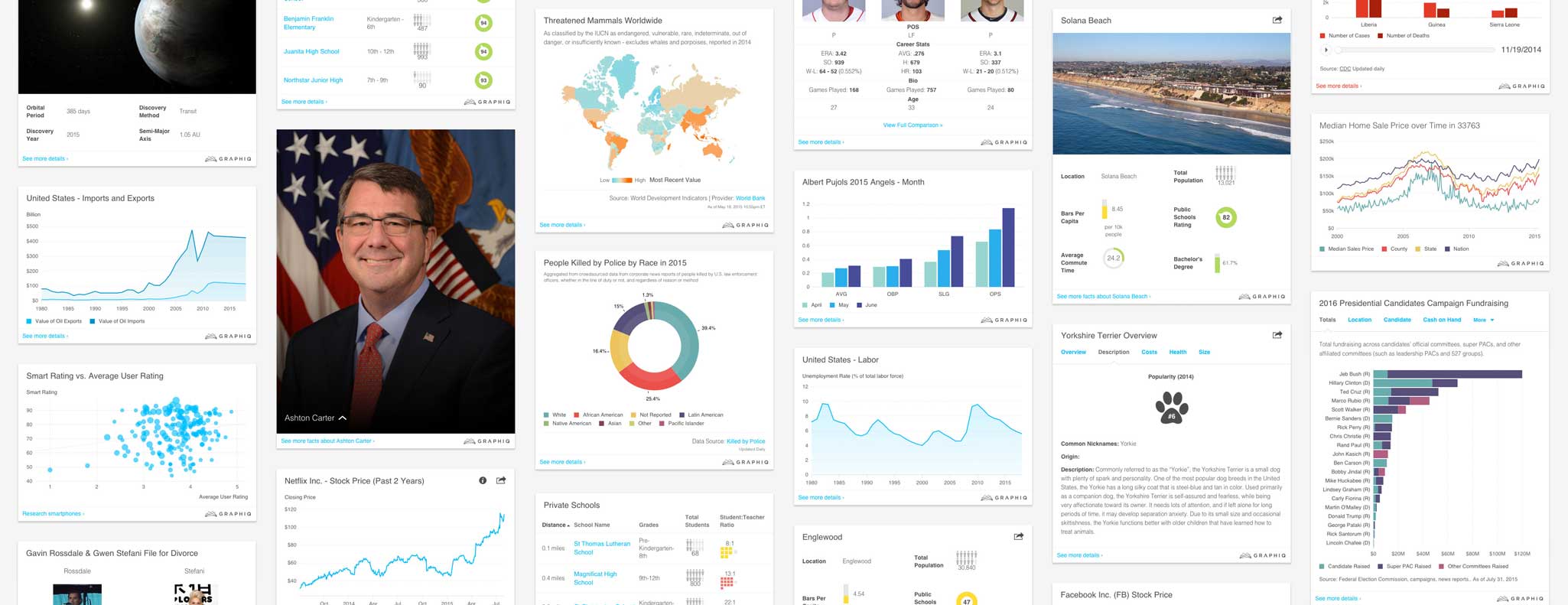
<p>That’s exactly the kind of system that we’ve been building at Graphiq — a system that powers more than 10 billion embeddable visualizations on 700 topics, generating more than 300 million impressions per month on the websites of some of the world’s largest publishers.</p>

<p><img src="/assets/img/project-viz-hero.jpg" alt="Examples of Graphiq Visualizations" /></p>

<p>Here are a few things we learned in the past three years creating and perfecting our system:</p>

<h3 id="a-understand-the-data-span-and-use-cases">A. Understand the Data Span and Use Cases</h3>

<p>When thinking about design systems, it’s natural to start by thinking about the UI kits, pattern libraries, and brand guidelines that we see all the time. Similarly, it’s very easy to jump into designing for each element — color palette, bar chart, button, and more. There are even tutorials and templates designed specifically for this purpose.</p>

<p>If you are designing a resources package without any defined use case, that’s surely the way to go. But if you’re creating a design system with a given purpose, it’s good to understand the scope of data and use cases to better focus your resources.</p>

<p>At Graphiq, we need a design system that is able to host all content and chart types, but realistically, 70% of our visualizations are bar charts, line charts, or area charts. It makes sense for us to focus our energy on those more prevalent chart types, rather than evenly distribute our efforts across all chart types.</p>

<p>Similarly, we want to be able to display all attribute labels, no matter how long or short they are, but knowing that most of those labels are between 15 and 30 characters definitely helps.</p>

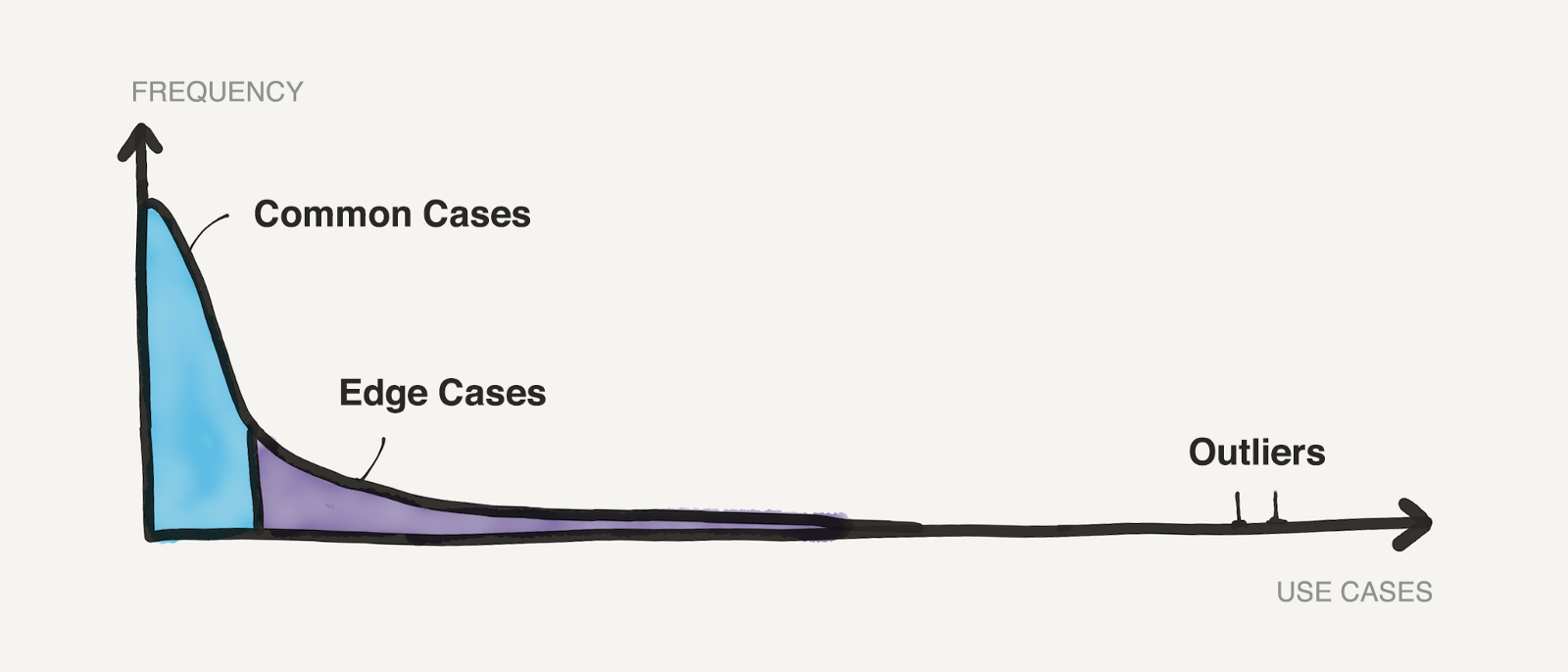
<p>In general, the popularity of all use cases in a design system would fall on a curve like this:</p>

<p><img src="/assets/img/2017-05-26-distribution.png" alt="Use cases distribution" /></p>

<p>Once you have an idea of the distribution, then it’s easy to focus your resources to design for common use cases, take care of edge cases, and then deal with the outliers.</p>

<h3 id="b-design-for-common-cases">B. Design for Common Cases</h3>

<p>Designing for common cases should be relatively easy — you could even treat them as Dribbble shots — just make the best possible version of each use case. We found it more useful to start with those ideal designs than to start with common elements because the system should serve the users, not the other way around.</p>

<p>Once we have a good collection of design for those popular use cases, we then organize them to become the core of our design system.</p>

<table>
  <tbody>
    <tr>
      <td><img src="/assets/img/2017-05-26-system.png" alt="System for common cases" /></td>
    </tr>
  </tbody>
</table>

<h3 id="c-take-care-of-edge-cases">C. Take Care of Edge Cases</h3>

<p>After crafting the system around common cases, we can move on to the edge cases. A few typical edge cases we encounter over and over again are:</p>

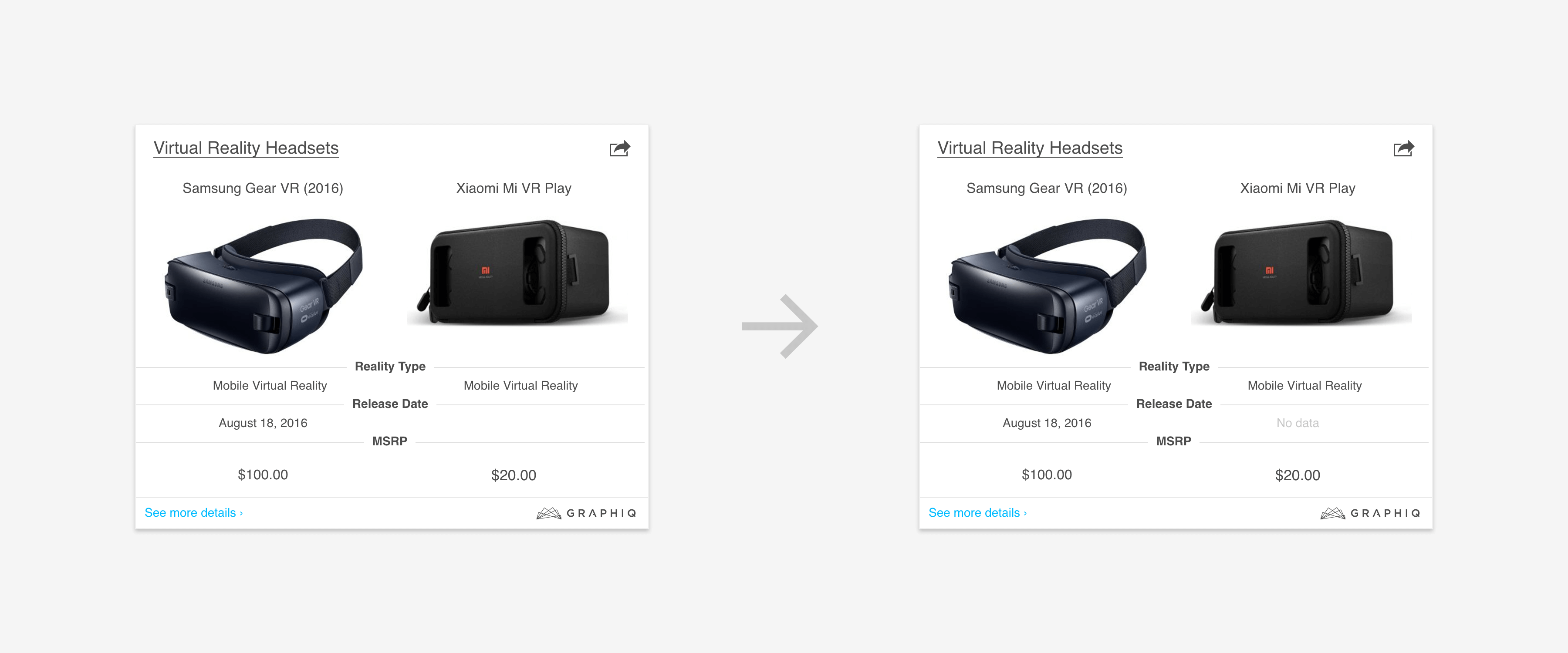
<p><strong>1. Missing Data:</strong> Communicate the issue instead of showing a blank space.</p>

<p><img src="/assets/img/2017-05-26-missing-data.png" alt="Add no data label" /></p>

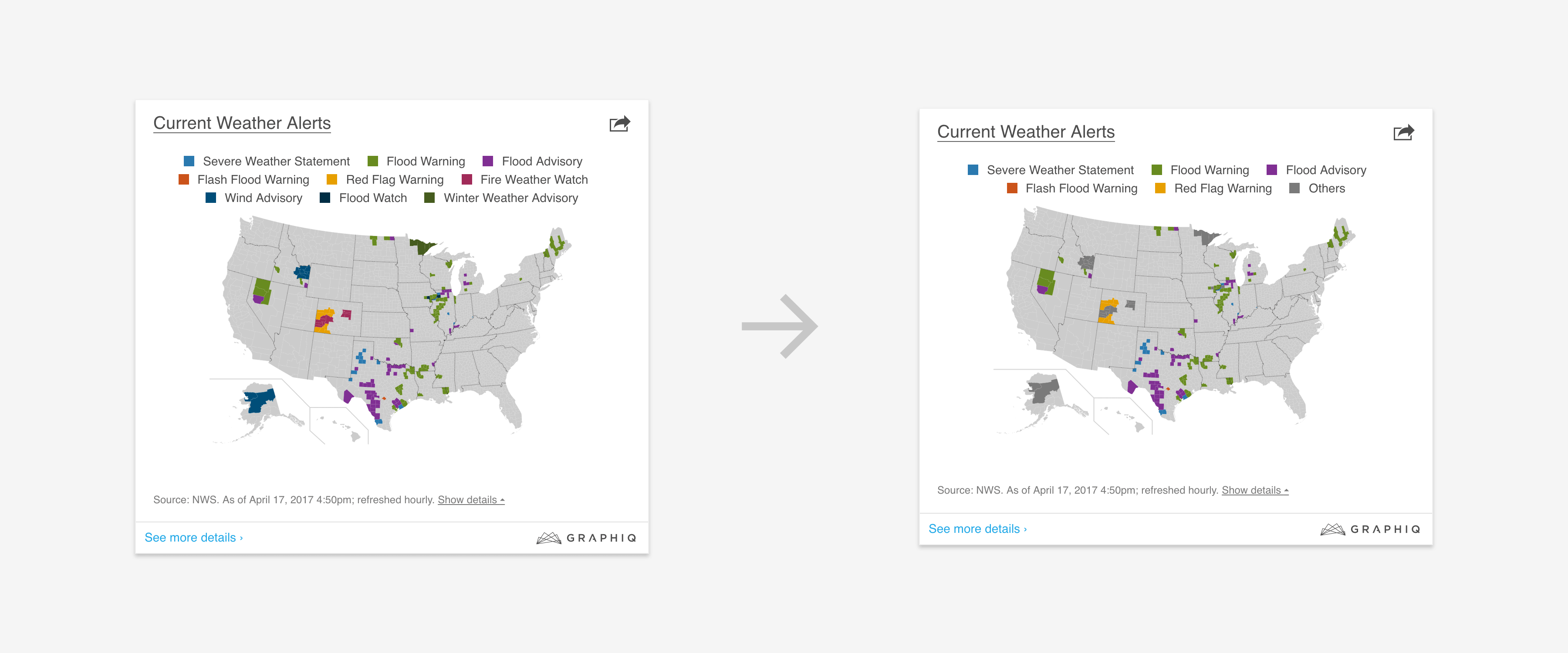
<p><strong>2. Too Many Data Series:</strong> Automatically group them into “others”.</p>

<p><img src="/assets/img/2017-05-26-group-series.png" alt="Group series" /></p>

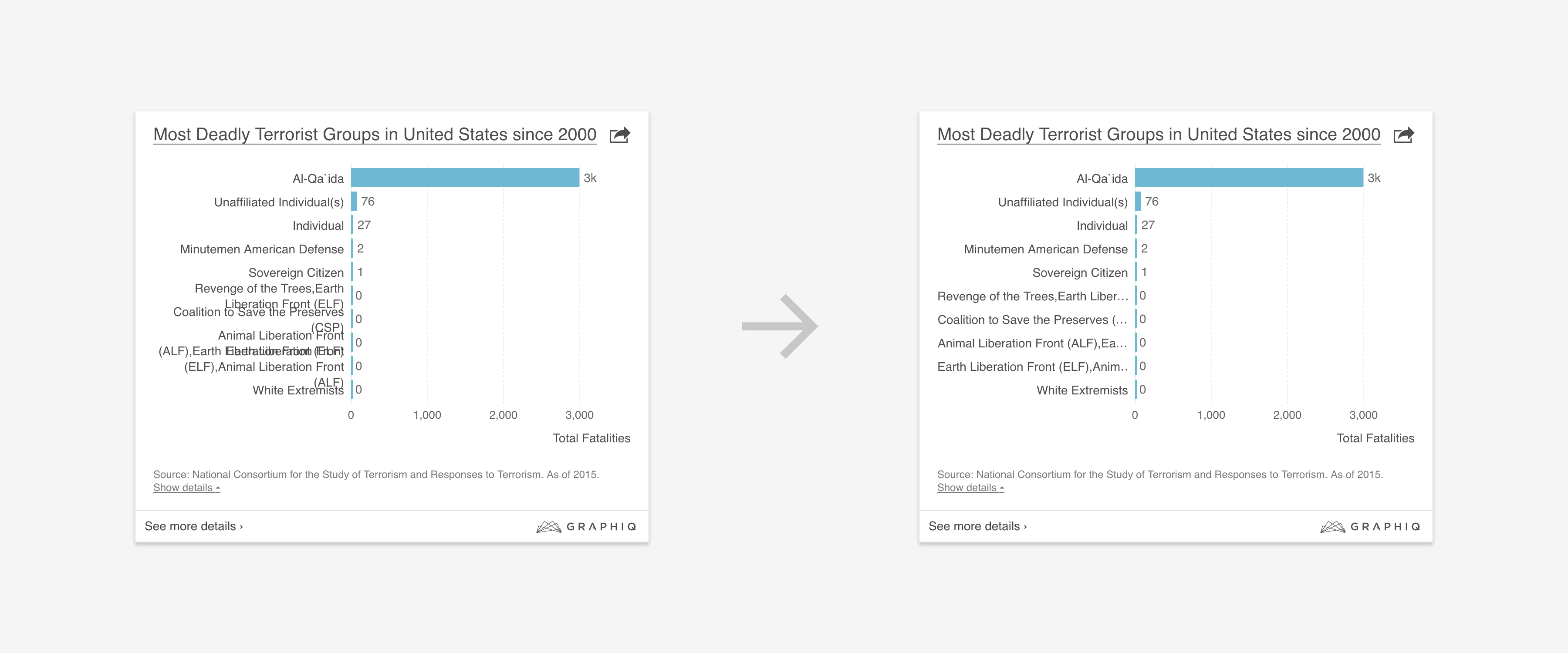
<p><strong>3. Verbose Labels:</strong> Cut down text and add ellipsis.</p>

<p><img src="/assets/img/2017-05-26-shorten-label.png" alt="Shorten label" /></p>

<p><strong>4. Elements Overlap:</strong> Avoid putting elements in places that could cover important information.</p>

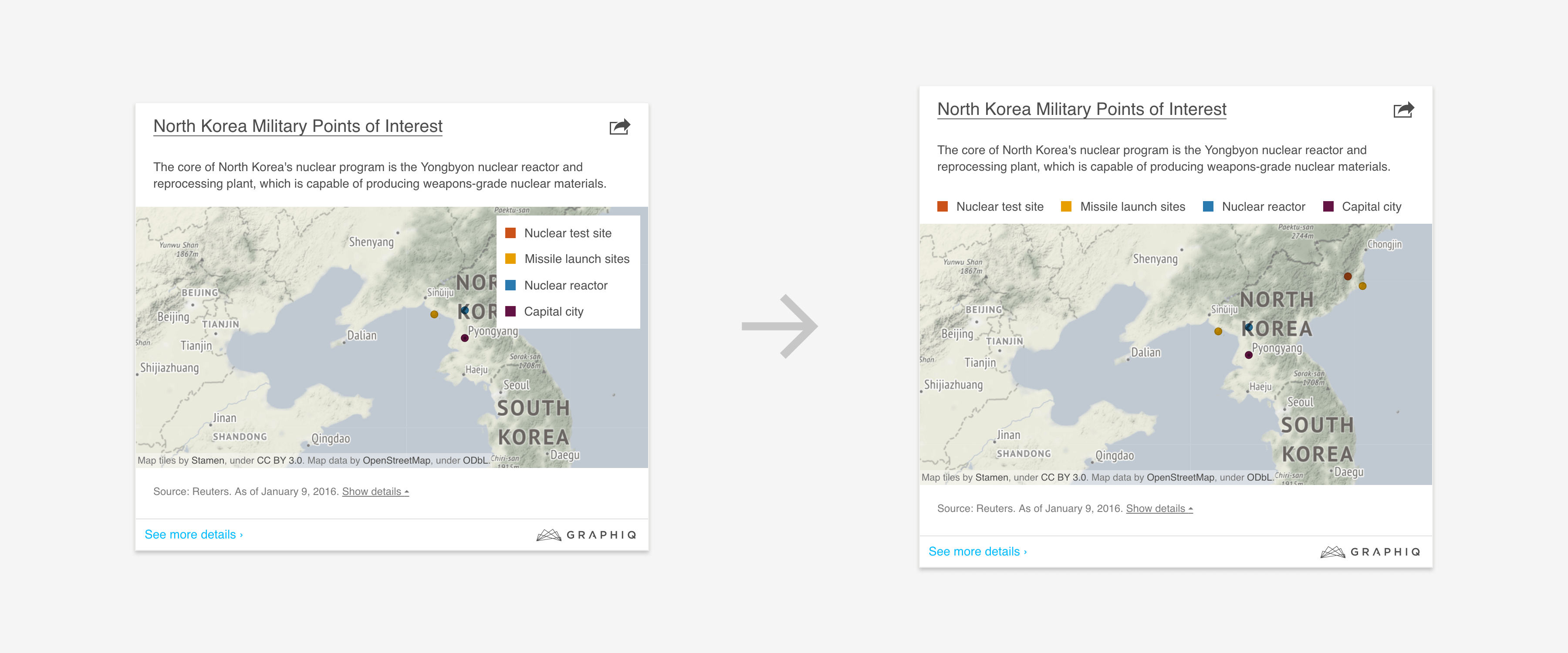
<p><img src="/assets/img/2017-05-26-legend-placement.png" alt="Move legend out of map" /></p>

<p>Instead of shipping a design system that assumes perfect data and requires you to continually fix data issues, we can make our system more flexible by adding graceful fallbacks for those edge cases. The design of those don’t have to be as perfect as the more popular ones, but the system should not break down in such scenarios.</p>

<h3 id="d-allow-human-overrides">D. Allow Human Overrides</h3>

<p>Lastly, there are outliers — the very rare cases that are both hard to foresee and expensive to target at a system level, like this one:</p>

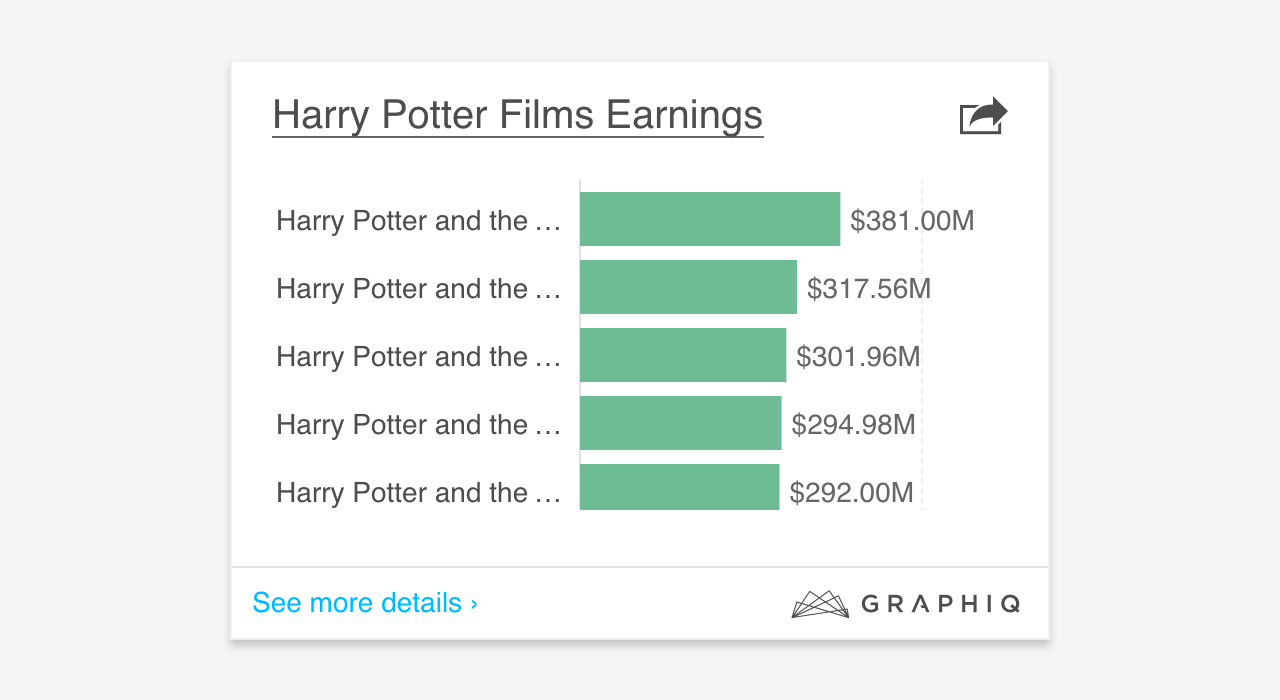
<p><img src="/assets/img/2017-05-26-before-override.png" alt="Before human override" /></p>

<p>Our logic of handling long labels broke here because all the Harry Potter book and movie titles start with “Harry Potter and the…”</p>

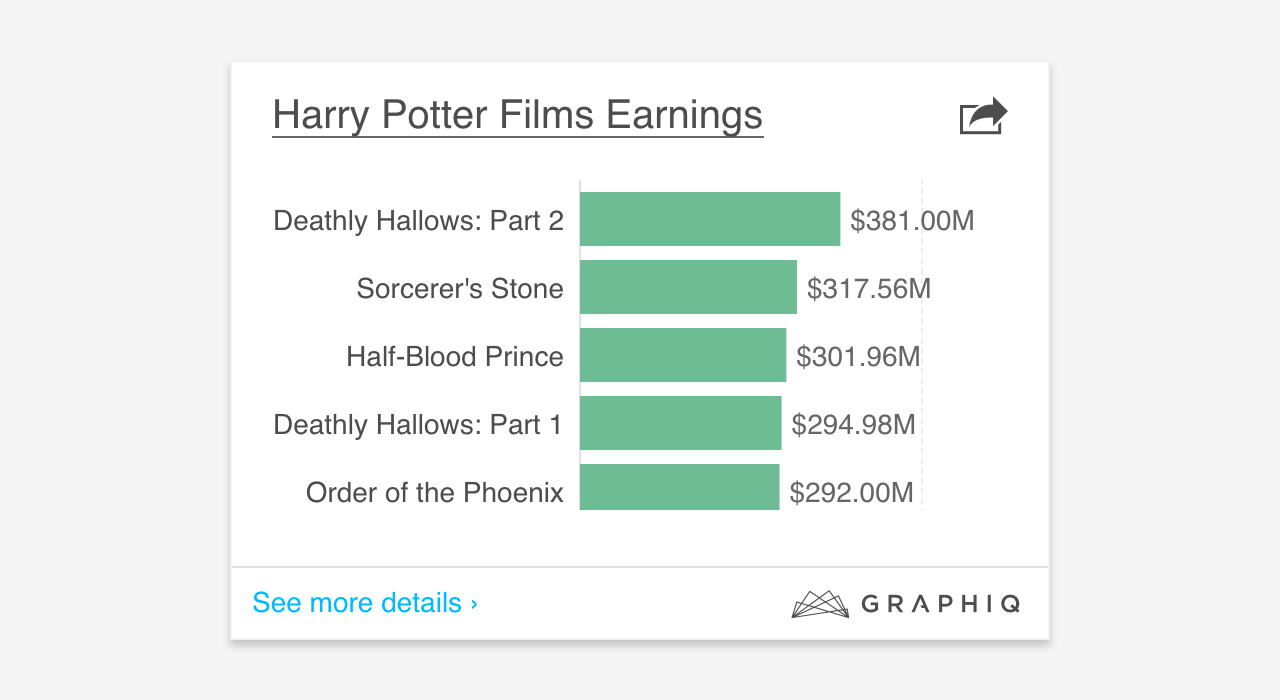
<p>To make the system more robust and avoid running around and adding new features, it’s a good idea to allow human overrides for those outliers first:</p>

<p><img src="/assets/img/2017-05-26-after-override.png" alt="After human override" /></p>

<p>It could be risky in the sense that not all people making such overrides are designers. But imagine a system that generates thousands of visualizations per day created by 50 different people, allowing overrides is a good way to allow the business grow as fast as possible.</p>

<hr />

<p>These are the lessons we’ve learned so far, and we’re looking forward to hearing from you about your thoughts and experiences on this subject. If you have anything to share, definitely reach out to me at <a href="https://twitter.com/moyicat" target="_blank">@moyicat</a>.</p>]]></content><author><name>Samantha Zhang</name></author><category term="articles" /><category term="Data Design" /><category term="Design System" /><category term="UX" /><summary type="html"><![CDATA[Crafting Design Systems for Big Data]]></summary></entry><entry><title type="html">Making The Air Bonsai</title><link href="https://samanthazhang.com/writing/making-the-air-bonsai" rel="alternate" type="text/html" title="Making The Air Bonsai" /><published>2016-12-26T00:00:00+00:00</published><updated>2016-12-26T00:00:00+00:00</updated><id>https://samanthazhang.com/writing/making-the-air-bonsai</id><content type="html" xml:base="https://samanthazhang.com/writing/making-the-air-bonsai"><![CDATA[<table>
  <tbody>
    <tr>
      <td><img src="/assets/img/2016-12-26-og.png" alt="My version of Air Bonsai" /></td>
    </tr>
  </tbody>
</table>

<p><span class="caption">This photo is retouched with Photoshop to hide some imperfect details.</span></p>

<h1 id="making-the-air-bonsai">Making the Air Bonsai</h1>

<p>After spending hundreds of dollars on Kickstarter, I finally got tired of it. It’s not that Kickstarter projects come with premium prices — innovation comes at a price and I understand that. It’s the wait time that I cannot stand.</p>

<p>I spent a year waiting for my <a href="https://www.kickstarter.com/projects/tanttle/emotiv-insight-optimize-your-brain-fitness-and-per" target="_blank">Emotiv Insight</a>, half a year for <a href="https://www.kickstarter.com/projects/lanceistough/the-worlds-first-sleeping-bag-hammock-bison-bag" target="_blank">Bison Bag</a>, and four months for <a href="https://www.kickstarter.com/projects/929020713/the-freedman-chair-a-better-way-to-sit" target="_blank">The FreedMan Chair</a>, which actually broke down in four months. Finally, I decided to start hacking some of those products myself — not aiming to make perfect products or be a copycat and compete, but to make quick working prototypes so I don’t end up biting my nails while anxiously waiting for my expensive toys to arrive.</p>

<p>The first product I made was basic version of the <a href="https://www.kickstarter.com/projects/1280002828/air-bonsai-create-your-little-star" target="_blank">Air Bonsai</a>. I was absolutely in awe when I first saw Air Bonsai — it’s like the essence of Zen, Bonsai, and Japanese culture. A bonsai floating in the air, on top of nothing but emptiness. That’s simply mind blowing.</p>

<p><img src="/assets/img/2016-12-26-original.jpeg" alt="Original Air Bonsai" /></p>

<p>It’s the perfect kind of project I can hack — the concept is simple and the end result could be quite stunning if executed well.</p>

<h3 id="the-plan">The Plan</h3>

<p>After consulting several friends on physics and hardware, I decided not to build the magnetic field from scratch. Instead, I bought a cheap one on Amazon.</p>

<p>The plan is just to take the magnetic field generator out of it’s original container and place it in a bowl, take the floating disk and place it in a moss ball, and then just combine the two parts.</p>

<div><strong>List of materials and tools we used:</strong></div>

<ul>
  <li>
    <p><a href="https://www.amazon.com/gp/product/B00HAW8S6O/" target="_blank">Yosoo Levitation Ion Revolution Platform</a> — $54</p>
  </li>
  <li>
    <p><a href="https://www.amazon.com/gp/product/B003VWMJP8/" target="_blank">Moss Balls, Fresh Green, 2.5” (3 pack)</a> — $6</p>
  </li>
  <li>
    <p><a href="https://www.amazon.com/gp/product/B001AQRLM8" target="_blank">Hot Glue Gun with 12–4-Inch All Purpose Glue Sticks Kit</a> — $8</p>
  </li>
  <li>
    <p>White bowl (or any bowl you’d like to use)</p>
  </li>
  <li>
    <p>Exacto knife</p>
  </li>
  <li>
    <p>Skew driver</p>
  </li>
</ul>

<h3 id="the-process">The Process</h3>

<p>So on a nice Saturday morning, with some coffee and chocolate croissants, <a href="https://www.instagram.com/dotdot9000/" target="_blank">Yisi</a> — my dear friend and collaborator in many creative projects — and I got to work.</p>

<p><img src="/assets/img/2016-12-26-start.png" alt="Breakfast and Supplies" /></p>

<p>Taking the elevation platform apart was simple enough with the skew driver.</p>

<p><img src="/assets/img/2016-12-26-platform.png" alt="Layers of the Platform" /></p>

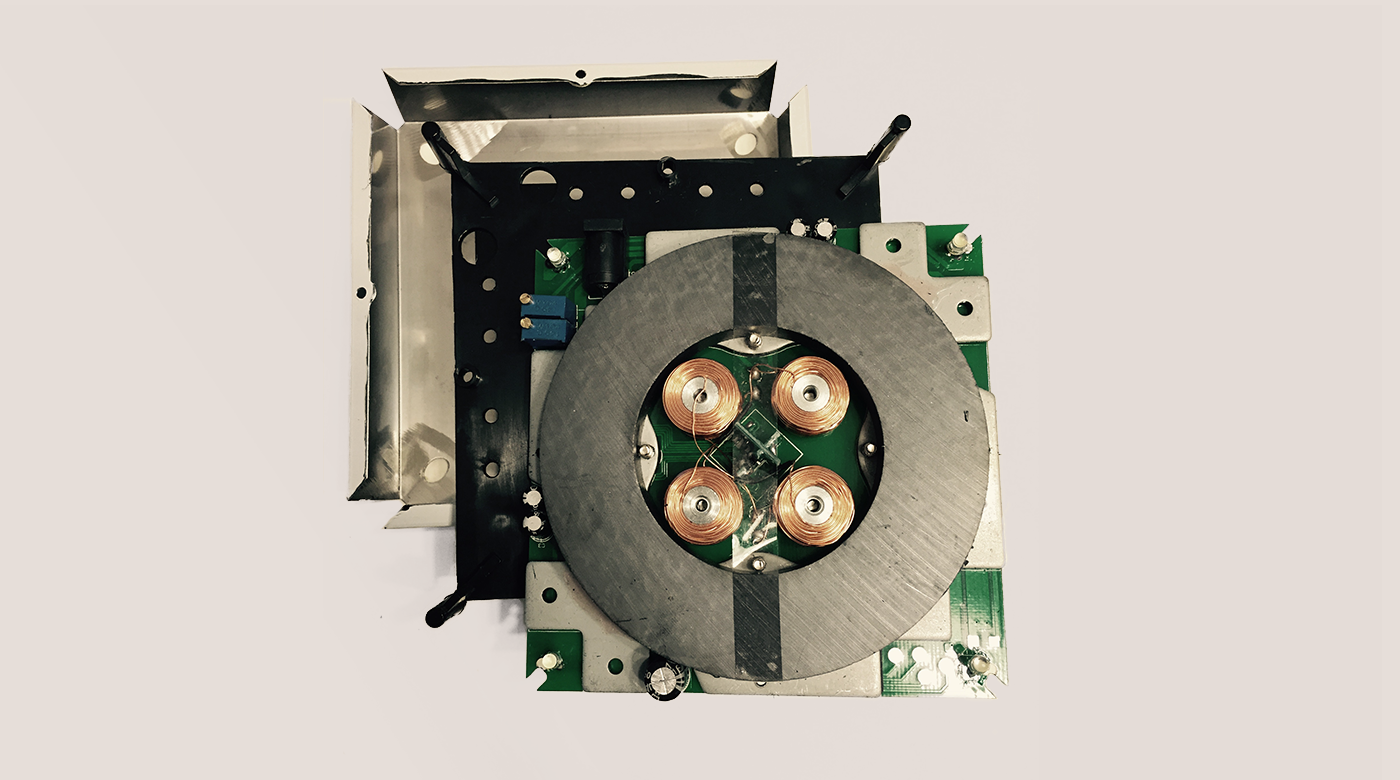
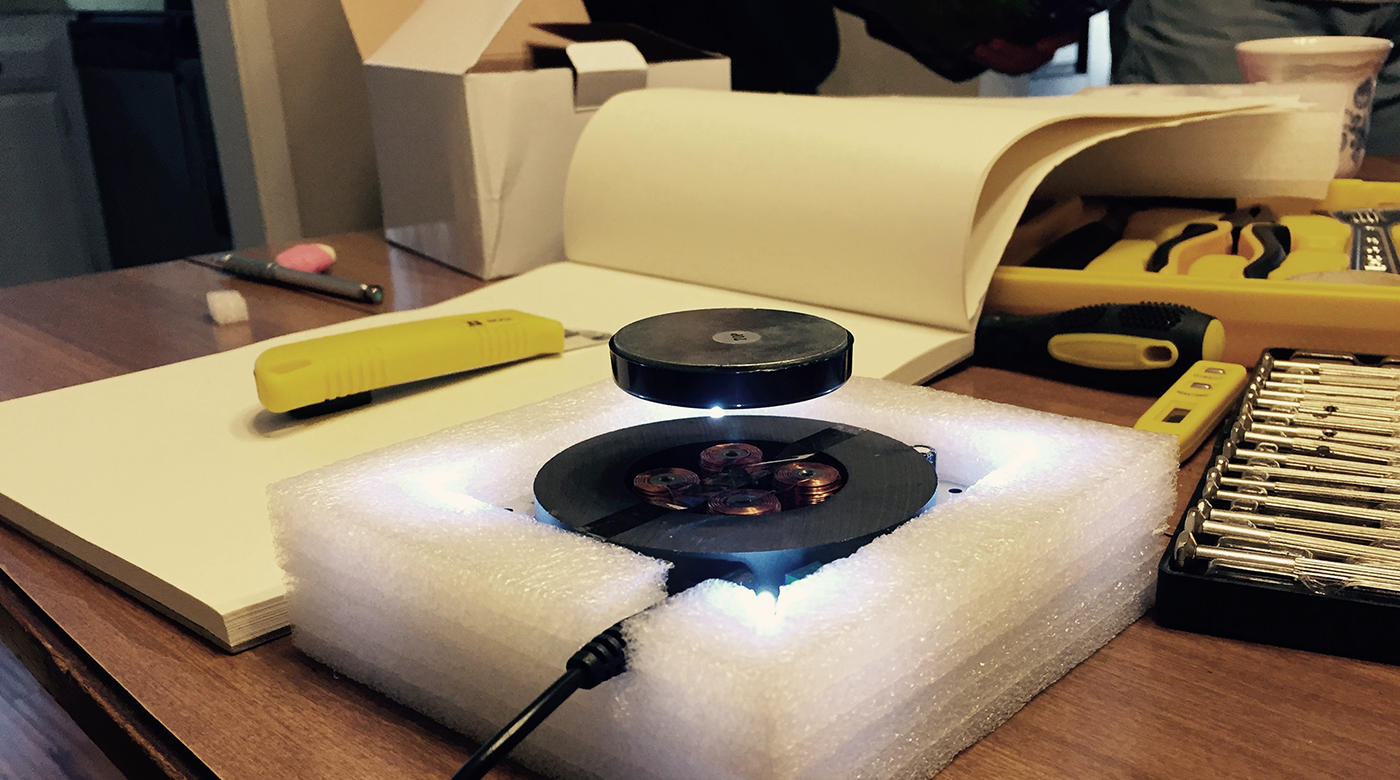
<p>We took the packaging foam that came with the platform and used that as a container to hold the middle layer. It was actually a very good fit and provided nice support. We also cut a notch in the wall of the foam box for the wire.</p>

<p>To make sure we didn’t break anything in the process, we did a quick test to make sure that the disk floats:</p>

<p><img src="/assets/img/2016-12-26-working-base.png" alt="Base still works" /></p>

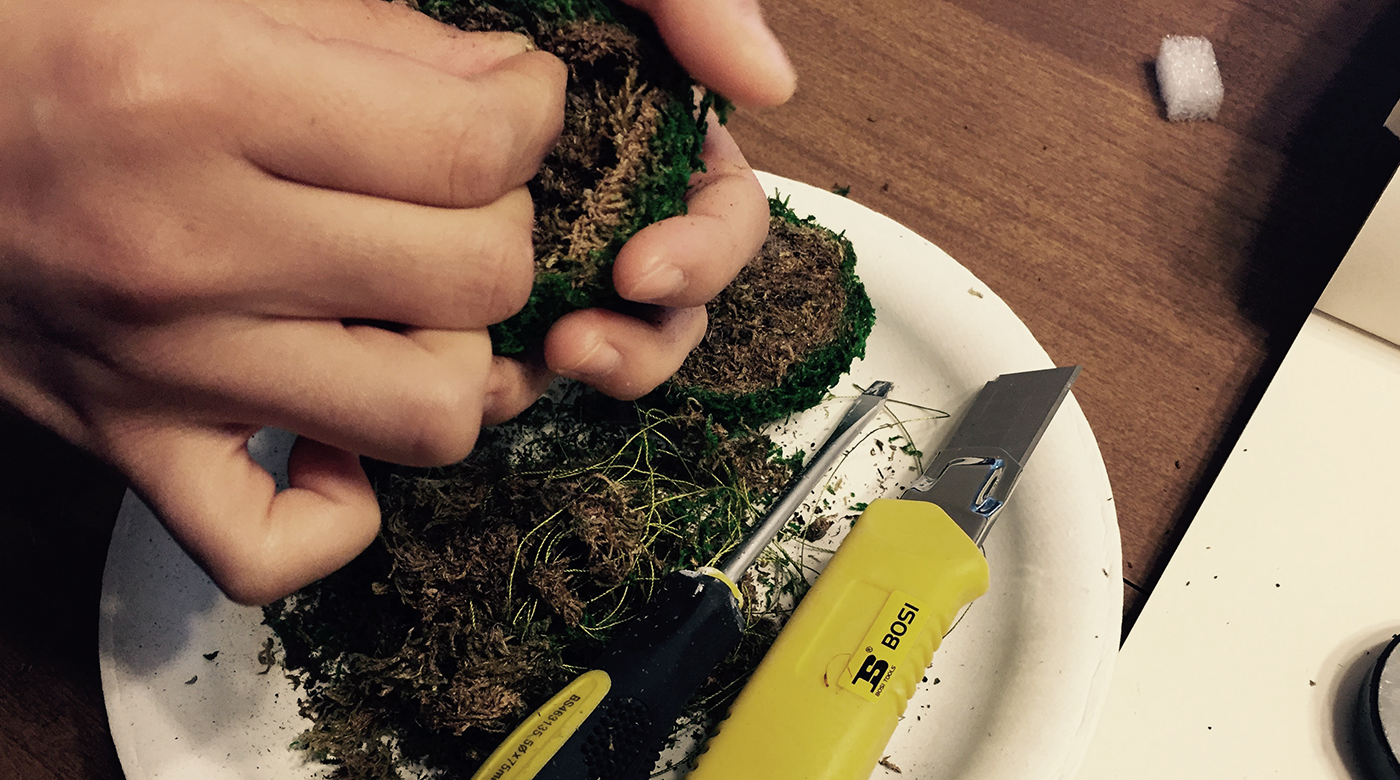
<p>After that, we moved on to making the moss ball. Our original plan was just to cut a moss ball in half and stick it back with a hot glue gun. But the ball was very lose by itself and kept breaking apart, so it ended up being quite a messy job with loads of glue to keep things in tact.</p>

<p><img src="/assets/img/2016-12-26-moss.png" alt="Cutting open the moss ball" /></p>

<p>We started off with a round moss ball, and shaved it down bit by bit to leave as much room as possible at the bottom to maximize the elevation effect. Again, a lot of messy work but it ended up looking quite decent.</p>

<p><img src="/assets/img/2016-12-26-moss.png" alt="Floating moss ball" />
<span class="caption">Yisi is the girl holding the camera btw :)</span></p>

<p>The last step was just to find a large enough bowl and shave the foam down for a nice fit, and we have a basic Air Bonsai base right there:</p>

<div class="p">
	<div class="video-wrap">
		<iframe class="video" src="https://www.youtube.com/embed/TsdU-sR35uU?rel=0&amp;showinfo=0" frameborder="0" allowfullscreen=""></iframe>
	</div>
</div>

<h3 id="room-for-improvements">Room for Improvements</h3>

<p>Admittedly, this is just a proof of concept. Like I mentioned in the beginning, the motivation behind this is not to make a perfect product like the actual Air Bonsai, but to show how easy we can hack together a cool project. If you want the perfect version, definitely check out <a href="https://www.kickstarter.com/projects/1280002828/air-bonsai-create-your-little-star" target="_blank">their page</a>.</p>

<p>So a few potential improvements that I can think of:</p>

<ol>
  <li>
    <p>Find a better and prettier container, ideally with a hole at the bottom and move the wire there. In the current model, the wire actually hangs from the side.</p>
  </li>
  <li>
    <p>Place some plants onto the moss ball so it’s not just a base.</p>
  </li>
  <li>
    <p>Shave the foam a little bit better. As you can see, it still overflowing a little bit over the bowl. Again, I Photoshop-ed it away in the title image, in case you didn’t realize. If you are making it at home, you can easily fix this with some scissors and sandpaper.</p>
  </li>
</ol>

<hr />

<p>There you have it, a quick DIY of an insanely beautiful product. <a href="https://www.instagram.com/dotdot9000/" target="_blank">Yisi</a> and I completed it in around three hours. If you end up giving it a try, definite post it and @ <a href="https://twitter.com/moyicat">me on Twitter</a>. I’d LOVE to see it.</p>]]></content><author><name>Samantha Zhang</name></author><category term="blog" /><category term="Craft" /><category term="DIY" /><summary type="html"><![CDATA[]]></summary></entry><entry><title type="html">Building Your Blog with Parse.js</title><link href="https://samanthazhang.com/writing/building-your-blog-with-parse-js" rel="alternate" type="text/html" title="Building Your Blog with Parse.js" /><published>2016-12-22T00:00:00+00:00</published><updated>2016-12-22T00:00:00+00:00</updated><id>https://samanthazhang.com/writing/building-your-blog-with-parse-js</id><content type="html" xml:base="https://samanthazhang.com/writing/building-your-blog-with-parse-js"><![CDATA[]]></content><author><name>Samantha Zhang</name></author><category term="blog" /><category term="Web Dev" /><category term="Tutorial" /><category term="CMS" /><category term="MVC" /><category term="Javascript" /><summary type="html"><![CDATA[]]></summary></entry><entry><title type="html">Learning from Lego: A Step Forward in Modular Web Design</title><link href="https://samanthazhang.com/writing/learning-from-lego-a-step-forward-in-modular-web-design" rel="alternate" type="text/html" title="Learning from Lego: A Step Forward in Modular Web Design" /><published>2016-12-22T00:00:00+00:00</published><updated>2016-12-22T00:00:00+00:00</updated><id>https://samanthazhang.com/writing/learning-from-lego-a-step-forward-in-modular-web-design</id><content type="html" xml:base="https://samanthazhang.com/writing/learning-from-lego-a-step-forward-in-modular-web-design"><![CDATA[]]></content><author><name>Samantha Zhang</name></author><category term="blog" /><category term="Web Dev" /><category term="CSS" /><category term="HTML" /><category term="Modular Design" /><summary type="html"><![CDATA[]]></summary></entry></feed>